2–30 Truck Shops: Contractor Estimating Software That Works Offline
Find contractor estimating software for 2–30 truck plumbing, HVAC, and electrical shops. Prioritize mobile apps with offline sync, calculators, and job...
2–30 Truck Shops: Contractor Estimating Software That Works Offline
MEPflow is the strongest pick for plumbing, HVAC, and electrical shops that need mobile-first estimating with offline sync and trade-specific pricing. If your work is takeoff-heavy on complex drawings, STACK handles fast cloud takeoffs better. Heavy civil and DOT contractors should look at HeavyBid for pay-item bidding. The right answer depends on what you build, how big your crew is, and what happens after you win the bid.
TL;DR:
- Mobile-first estimating tools like MEPflow are ideal for small to mid-size plumbing, HVAC, and electrical shops that need offline sync and trade-specific calculators.
- Takeoff-heavy firms should favor cloud platforms like STACK for real-time collaboration and fast digital measurement of shared drawings.
- Heavy civil and public infrastructure contractors benefit most from tools like HeavyBid, designed specifically for pay-item bidding and large-team workflows.
- When evaluating estimating software, prioritize offline functionality, ease of data ownership, and seamless integration with accounting systems over bells and whistles.
- Testing a tool with a real, recent job during a demo can reveal if it fits your workflow better than vendor claims or marketing features.
Table of Contents
- What Is the Best Contractor Estimating Software Right Now?
- How Do These Tools Compare Side by Side?
- How Do You Choose the Right Estimating Software for Your Shop?
- Which Features Actually Protect Your Margins?
- Get Estimating Software Built by People Who Run Trucks
- Sources
- FAQ
What Is the Best Contractor Estimating Software Right Now?
There’s no single winner in construction estimating software, and any list claiming otherwise is selling something. What actually separates the useful tools from the ones that end up abandoned six months in is whether the software matches how your specific shop already works. A five-truck electrical outfit and a $40 million heavy-civil contractor have almost nothing in common operationally, and they should not be shopping from the same shortlist.
Independent comparisons back this up: multiple 2026 roundups organize recommendations by work type and team size rather than crowning one universal champion, because what happens after the bid, whether that’s job costing, field dispatch, or accounting sync, matters as much as the estimate itself.
Here’s the shortlist, sorted by who each tool actually fits.
-
MEPflow — MEPflow runs estimating, scheduling, invoicing, and job costing in one mobile app that works offline. It ships Good/Better/Best estimate templates and trade calculators a tech can pull up standing at the panel or under the slab, then syncs everything to the office once signal returns. Best for 2 to 30 truck plumbing, HVAC, and electrical shops. Cloud-based with full offline functionality.
-
STACK — A cloud-based takeoff and estimating platform built around fast digital quantity extraction and team collaboration on shared drawings. Estimators who spend most of their week measuring plans, not writing scopes, tend to prefer it. Best for takeoff-first teams that need several people marking up the same set simultaneously. Cloud-based, mid-size team fit.
-
HeavyBid (HCSS) — Purpose-built for heavy civil and infrastructure bidding, with workflows tuned to DOT pay-item structures and bid-day analysis that general commercial tools don’t replicate well. Best for heavy-civil and infrastructure contractors bidding public work. Desktop-rooted with cloud components, built for larger estimating teams.
-
Procore Estimating — Estimating as one module inside a much larger connected platform, so quantities pulled from 2D or 3D models flow straight into budgets and project financials without a manual handoff. Procore’s own product materials describe this as reducing rework by keeping estimates tied to live project data. Best for mid-to-large general contractors already standardized on Procore for project management.
-
Sage Estimating — A database-driven estimating tool that commercial general contractors use to standardize cost libraries across dozens of estimators, so a junior estimator and a 20-year veteran are pricing off the same assemblies. Best for commercial GCs that need consistency across multiple bidders. Primarily desktop-deployed.
-
ProEst — Cloud estimating with a strong lean toward proposal generation and shared cost-database access. G2 comparisons show ProEst reviewers rating proposal workflows and database access higher than takeoff speed, which tells you where its real strength sits. Best for teams that win business on polished proposals as much as sharp numbers.
-
Buildxact — Simple, residential-focused estimating aimed squarely at builders still running bids out of spreadsheets. It connects to supplier price lists so material costs stay current without manual re-entry. Best for small residential builders and remodelers. Cloud-based, built for very small teams.
-
Destini Estimator — Takes a first-principles, assembly-driven approach, breaking every estimate down into granular components rather than lump-sum line items. Best for contractors who need to defend every number in a bid with a detailed breakdown, often on public or bonded work.
-
WinEst — An enterprise estimating platform with deep database management, historically popular with large commercial estimating departments running dozens of active bids at once. Best for enterprise and large-scale commercial estimators with dedicated estimating staff. Desktop and enterprise-server deployment.
-
Clear Estimates — A straightforward cloud tool for small contractors and remodelers who want simple proposals without a steep learning curve. Best for small-business workflows where one or two people handle all the estimating. Cloud-based, built for very small shops.
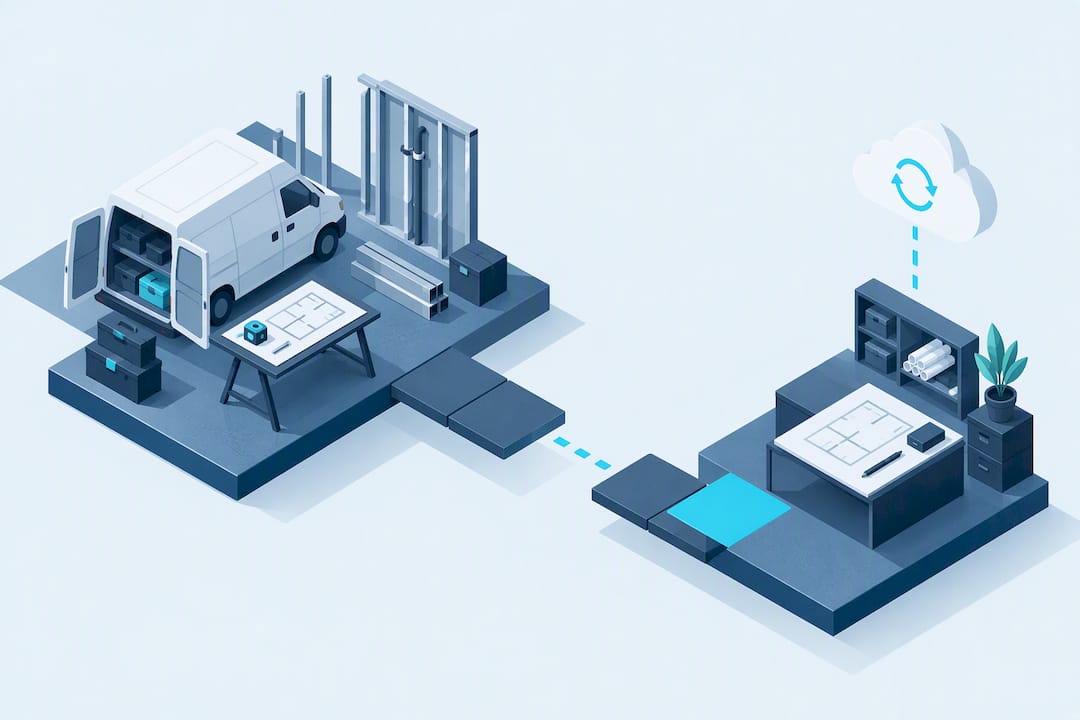
For a plumbing, HVAC, or electrical shop running 2 to 30 trucks, the calculus is simpler than it looks: you need something a technician can actually open standing in a crawlspace with one bar of signal, not a desktop tool designed for an office estimator working from a printed set.
How Do These Tools Compare Side by Side?
The dimensions that matter for a trade shop are rarely the ones vendors lead with in their sales decks. Deployment model, offline behavior, and how estimating hands off into job costing tend to decide whether a tool sticks or gets abandoned.
| Tool | Best For | Deployment | Takeoff Strength | Mobile / Offline | Ease of Use |
|---|---|---|---|---|---|
| MEPflow | Plumbing, HVAC, electrical truck shops needing mobile-first estimating | Cloud, works offline | Not takeoff-focused; trade pricebook driven | Strong, built mobile-first | Low learning curve |
| STACK | Takeoff-first teams needing fast cloud quantity extraction | Cloud | Strong | Limited offline behavior | Moderate |
| HeavyBid | Heavy-civil and DOT pay-item bidding | Desktop-rooted, cloud add-ons | Strong for civil quantities | Limited | Steep, built for career estimators |
| Procore Estimating | Mid-to-large GCs needing platform-wide integration | Cloud | Strong, model-based | Moderate | Moderate to steep |
| Sage Estimating | Commercial GCs standardizing cost databases | Desktop | Moderate | Limited | Steep |
| ProEst | Proposal-focused estimating teams | Cloud | Moderate | Moderate | Moderate |
| Buildxact | Small residential builders leaving spreadsheets | Cloud | Moderate | Moderate | Low |
| Destini Estimator | Assembly-driven, detailed breakdowns | Desktop / cloud hybrid | Strong for assemblies | Limited | Steep |
| WinEst | Enterprise commercial estimating departments | Desktop / enterprise | Strong | Limited | Steep |
| Clear Estimates | Small contractors and remodelers | Cloud | Limited | Moderate | Low |
A few things stand out once you lay the field-service and mobile columns next to the enterprise tools. Most of the enterprise-grade options, Sage Estimating, WinEst, HeavyBid, were built for dedicated estimating departments working from a desk, not a technician bouncing between three job sites a day. That’s not a knock on them; it’s just not the job they were built for.
Three practical takeaways come out of this table:
- If your crew estimates from the truck more than from a desk, offline behavior matters more than takeoff horsepower, which rules out most of the desktop-first enterprise tools.
- Heavy-civil contractors gain little from platforms like Procore or ProEst that are tuned for commercial and residential bid structures rather than pay-item civil work.
- Teams that live in takeoff all day, measuring dozens of plan sets a week, get more real value from STACK’s collaboration features than from a trade-focused tool like MEPflow, which isn’t built around takeoff at all.
How Do You Choose the Right Estimating Software for Your Shop?
Picking estimating software by feature list alone is how shops end up paying for tools nobody opens after month two. Run a shorter, sharper evaluation instead.
Start with a checklist before you ever book a demo:
- Workflow fit: Does the tool match how your estimators actually build a bid today, or does it force a new process on top of one that already works?
- Data ownership: Can you export your pricebook, customer list, and past estimates in an open format, or are you locked into their system?
- Offline and mobile behavior: Does it function with no signal, or does it just have a mobile-friendly website?
- Integrations: Does it talk to your accounting software (QuickBooks, for most trade shops) without a manual export/import dance?
- Cost database maintenance: Can your office manager update material and labor rates in an afternoon, or does it need a consultant?
- Support and training: Is there a real human to call, or just a help center and a chatbot?
When you get a vendor on a demo call, ask questions that expose real limitations rather than features on a slide:
- Ask them to import a real job from your current spreadsheet or software, live, on the call.
- Ask what happens to an estimate mid-revision when two people edit it at once.
- Ask them to turn off their WiFi and keep building the estimate.
- Ask exactly what breaks if you cancel: do you keep your data, your pricebook, your job history?
- Ask for the name and number of a support contact, not a ticket portal.
Watch for red flags that show up consistently across bad-fit tools: closed or proprietary export formats that trap your pricebook, no functioning offline mode despite marketing claims, and vague answers about integration with your accounting software. If a sales rep can’t answer a basic data-ownership question directly, that’s your answer.
Then run one real test before you sign anything: pick a job you already estimated last month and rebuild it inside the vendor’s demo environment, start to finish, timing yourself. If it takes longer than your current method, or the numbers don’t reconcile with what you actually bid, you have your answer without spending a dime.
Pro Tip: Bring your ugliest, most complicated recent estimate to the demo, not your simplest one. Software that handles a clean, single-trade job well can still fall apart on a multiphase project with change orders and split payment terms.
Which Features Actually Protect Your Margins?
Not every feature on a spec sheet moves the needle on bid accuracy. A few do the heavy lifting, and understanding what “good” looks like in each category helps you see past a slick demo.
Takeoff ranges from simple 2D plan measurement to full 3D model extraction. For most plumbing, HVAC, and electrical work, you rarely need 3D model-based takeoff, that’s more relevant to general contractors coordinating trades across a full building model. What you need is a fast, accurate way to turn a scope of work into a priced line item without retyping numbers three times.
Cost databases live or die on structure, not size. A pricebook with 10,000 line items nobody trusts is worse than one with 500 line items that reflect what you actually pay your suppliers this month. Build assemblies (a “standard water heater swap” bundle, not 40 separate parts) so your estimators price consistently and your new hire doesn’t have to relearn every job type from scratch.
AI-assisted estimating is having a moment, and it genuinely helps with the tedious parts: drafting a scope of work, structuring a bill of quantities, catching an obviously missing line item. What it cannot do reliably is replace your shop’s live labor rates and productivity assumptions, because no model knows that your crew runs 20% slower on rooftop units in July heat. Treat AI as a drafting assistant, not a pricing engine.
Job-cost handoff is where most bid accuracy actually gets tested. An estimate that never gets compared against real job costs teaches you nothing; a shop that can pull “estimated vs. actual” on every job starts catching its own pricing mistakes within a few cycles instead of years.
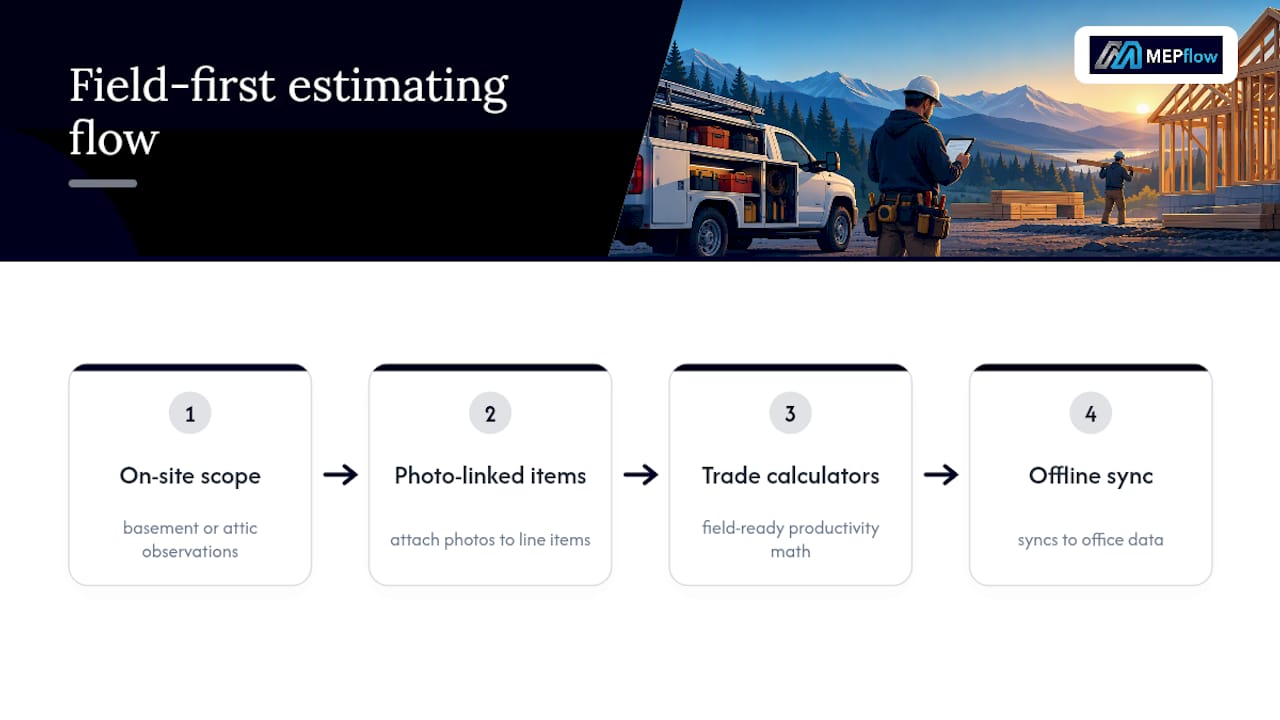
Mobile and offline access matters more for a 2 to 30 truck shop than almost any other feature on this list, because your estimator is often standing in a basement or attic with no signal when the real scope becomes clear. Field-first features like offline sync, photo-linked line items, and calculators built for the trade tend to cut rework meaningfully for small shops, even though this is harder to quantify than a database size or a feature count.
How We Compared These Tools
Ratings across this comparison come from three sources: vendor product documentation, review-platform signals from G2 and Capterra, and independent third-party roundups covering the 2026 estimating software field.
- Review-platform scores were treated as workflow-specific evidence, not absolute quality rankings, since ProEst reviewers rate proposal and database features highly while STACK reviewers score collaboration and takeoff speed higher, reflecting different reviewer populations with different jobs to do.
- Qualitative labels (strong, moderate, limited) in the comparison table were assigned by cross-referencing vendor claims against independent comparison sources and known product positioning, not a single hands-on trial of every tool.
- This comparison did not include a full internal hands-on test of every listed product, which is exactly why the shop test in the buying guide matters: your own job, run through your own demo, beats any third-party rating.
A field-first take on picking software
Most software comparisons treat mobile access as a bonus feature, an afterthought bolted onto a desktop product. That’s backwards for a truck shop. The estimator who matters most in your business probably isn’t sitting at a desk, they’re standing in a mechanical room deciding what fittings to price on the spot. Software that assumes a keyboard and a big monitor is solving the wrong problem for you.
If you run a small plumbing, HVAC, or electrical shop, prioritize in this order: mobile and offline reliability first, a pricebook your office manager can update without a support ticket second, and simple accounting integration third. Skip anything that can’t survive the real-job test described above.
— Jonathan
Get Estimating Software Built by People Who Run Trucks
Every tool on this list solves a piece of the estimating puzzle. MEPflow is built specifically for plumbing, HVAC, and electrical shops that need the whole loop: estimate, invoice, dispatch, and job cost, in one place that works whether your technician has full bars or none at all. It was developed by experienced tradespeople who use it in the field before release., not by a general construction software company adding a trades module as an afterthought.
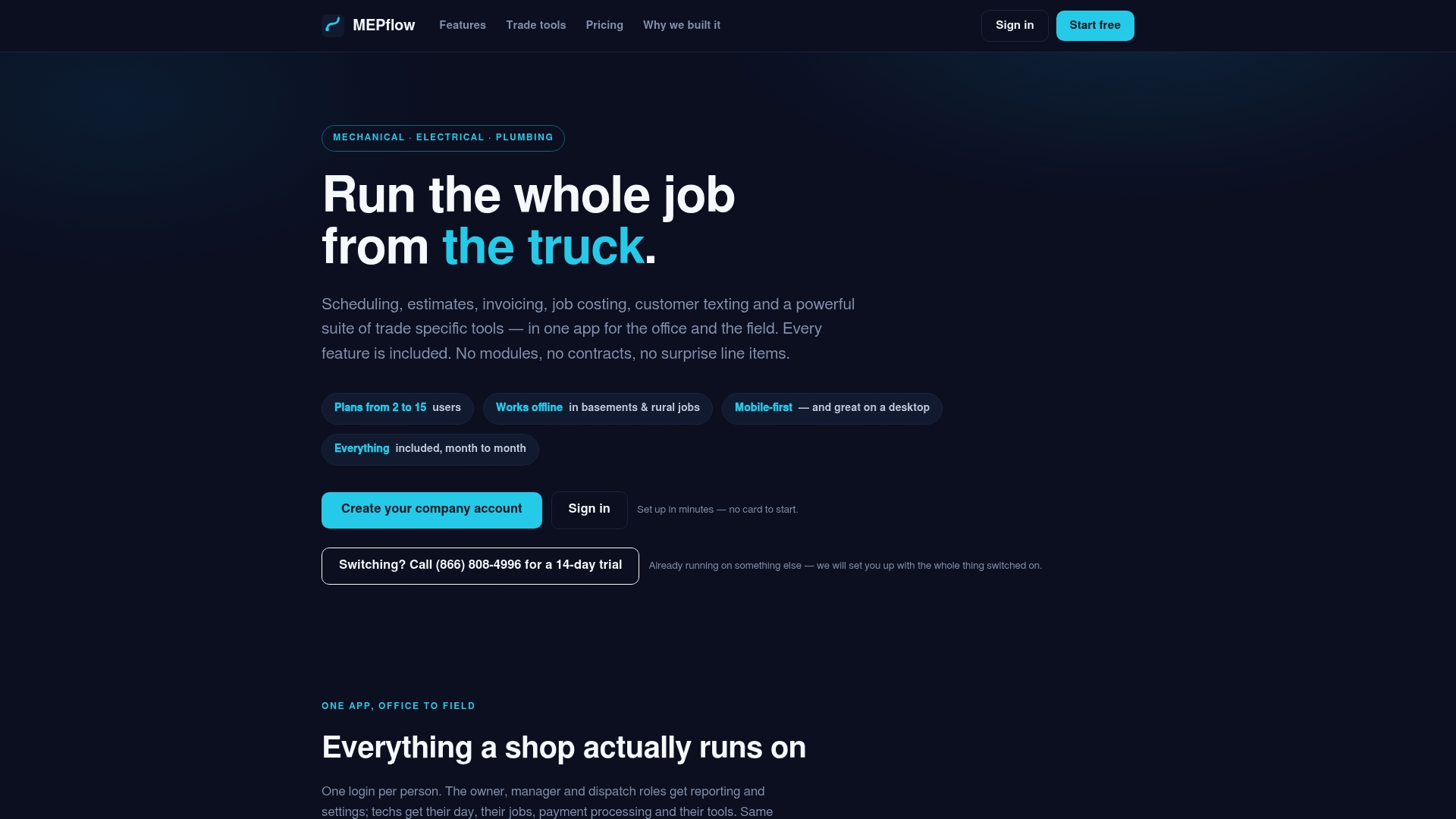
MEPflow fits owners and office managers running small to mid-size plumbing, HVAC, and electrical shops. It includes estimate templates, trade calculators accessible in the field, offline sync, and a desktop office interface running the same data as the field app, with all features included on every plan regardless of crew size. Pricing details live at MEPflow’s pricing page.
Create your company account free at signup to try it with up to 5 customers, no trade tools included at that tier. If you want the full 14-day trial with trade calculators and estimating tools active, call 866-808-4996 to get it set up.
Sources
- 8 Best Construction Estimating Software I Recommend in 2026
- Compare ProEst and STACK Takeoff & Estimate
- Construction Estimating Software | Procore
- AI-Powered Takeoff and Estimating Software: A Contractor’s Guide to the Top Players in 2026
FAQ
What Is the Best Contractor Job Estimator App?
For plumbing, HVAC, and electrical shops, MEPflow is built specifically for field-based estimating with offline sync and trade calculators. For takeoff-heavy general contracting work, STACK is the stronger fit because of its cloud collaboration features.
Which Software Is Most Commonly Used for Estimating?
Adoption varies heavily by trade and company size: commercial general contractors often standardize on Sage Estimating or Procore Estimating, heavy-civil firms lean on HeavyBid, and small trade shops increasingly use mobile-first tools like MEPflow built around their specific workflow.
What Is the Best Estimation Software for Construction?
There isn’t one universal answer, because a heavy-civil contractor bidding DOT pay items and a residential remodeler pricing kitchens need entirely different tools. Independent 2026 comparisons consistently organize picks by work type rather than naming a single overall winner.
Can ChatGPT Do Construction Estimates?
ChatGPT and similar AI tools can help draft scopes of work and structure a bill of quantities, but they cannot reliably price a bid without your shop’s live labor rates and productivity data. Treat AI as a drafting assistant for the paperwork, not a substitute for your actual cost database.
How Do I Trial Estimating Software Before Committing?
Ask any vendor to let you rebuild a real recent job inside a live demo, timing how long it takes and checking whether the final number matches what you actually bid. MEPflow offers free signup capped at 5 customers with no trade tools, and a full 14-day trial with trade calculators active by calling 866-808-4996.
Recommended
Where to next
- See what MEPflow doesScheduling, estimates, dispatch, invoicing and job costing in one app.
- Create your company accountSet your shop up in a few minutes. No card to start.
- How to Reduce Field Service Scheduling TimeMore from the MEPflow blog
- Cut No Shows 25%: Text Appointment Reminders for Service ShopsMore from the MEPflow blog