Field Ready Choice: QuickBooks Online vs Desktop for Trade Shops
Compare QuickBooks Online and Desktop for plumbing, HVAC, and electrical trade shops. Learn when cloud access beats Desktop inventory and why pairing a...
Field Ready Choice: QuickBooks Online vs Desktop for Trade Shops
For most small plumbing, HVAC, and electrical shops, QuickBooks Online wins the quickbooks online vs desktop decision because your crews work from trucks, not desks, and need real-time access with your accountant. The exception: shops running heavy inventory, assemblies, or multi-company job costing still lean on QuickBooks Desktop Enterprise.
TL;DR:
- QuickBooks Online is ideal for shops that need remote access, real-time collaboration, and integration with mobile apps, while Desktop excels in complex inventory and job costing.
- Transitioning to Online requires careful planning, especially for shops with extensive job history, custom reports, or multi-location inventory, with a recommended test run during low seasons.
- Online’s app ecosystem supports field service tools that synchronize directly with QuickBooks, reducing manual data entry and enhancing mobile job management.
- Desktop’s deeper reporting and inventory control make it the better choice for shops with serial number tracking, multiple warehouses, or complex assemblies.
- Costs and licensing differ: Online bills monthly per user and feature tier, while Desktop involves a subscription with add-ons for hosting, requiring assessment of total expenses and migration readiness.
Table of Contents
- QuickBooks Online vs Desktop: The Quick Rundown
- How Do Access and Backups Compare?
- Which Handles Inventory and Job Costing Better?
- Reporting Depth and Data Capacity: What Changes?
- Which Has a Better App and Integration Ecosystem?
- What Do Pricing and Licensing Actually Look Like?
- How Do You Migrate Without Losing Data?
- Which Version Fits Your Shop’s Situation?
- What Small Shop Owners Get Wrong About This Decision
- Pair Your QuickBooks Setup With Field-Ready Software
- Sources
- FAQ
QuickBooks Online vs Desktop: The Quick Rundown
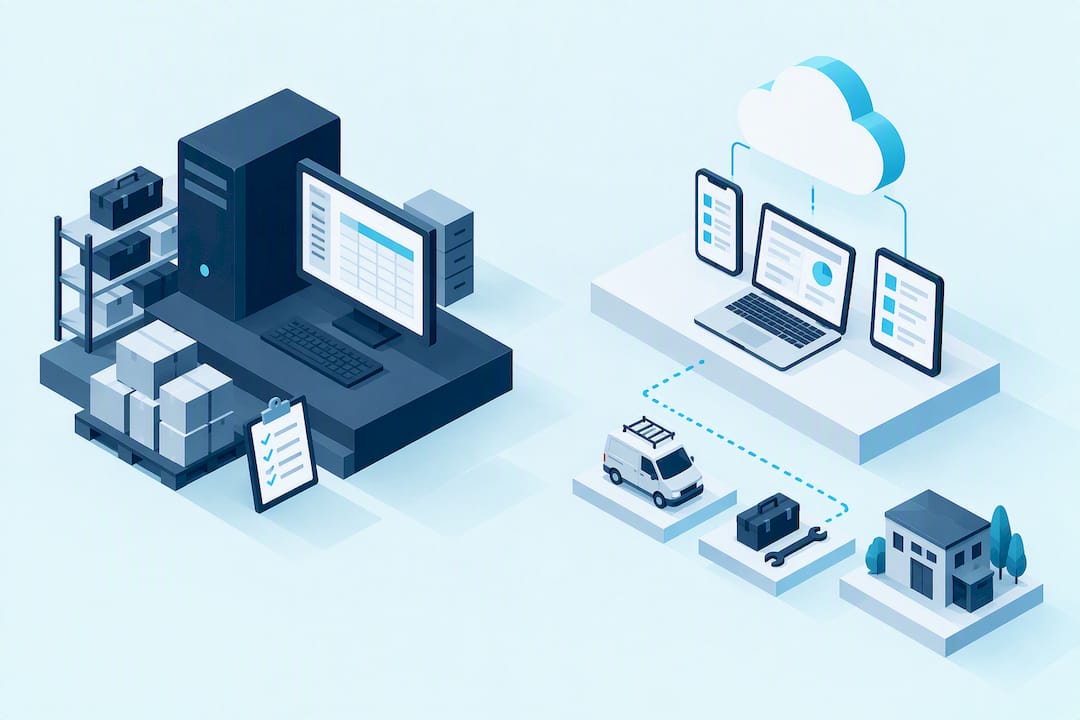
QuickBooks Online runs in a browser or mobile app, backs itself up automatically, and lets your bookkeeper log in from anywhere at the same time you do. QuickBooks Online is Intuit’s cloud-first product, built for businesses that need everyday access more than deep inventory tools. QuickBooks Desktop, especially the Enterprise edition, stays installed on a machine or server and trades some mobility for serious reporting depth and inventory control.
Here’s where the two actually split:
- Connectivity: Online works from any device with a signal; Desktop lives on one machine unless you add hosting.
- Inventory: Desktop Enterprise handles serial numbers, lot tracking, and multi-location stock better than Online.
- Integrations: Online connects to a far wider range of apps and payment tools out of the box.
- Licensing shape: Online bills monthly per user; Desktop is sold on subscription tiers with add-on costs for hosting.
- Collaboration: Online allows simultaneous multi-user access without file-locking headaches; Desktop can require workarounds.
How Do Access and Backups Compare?
QuickBooks Online lives in the cloud, so your office manager, your accountant, and you can all be logged in at once, from a laptop, tablet, or phone, without anyone waiting for someone else to close a file. Backups run automatically, and software updates roll out without anyone lifting a finger.
Desktop keeps your company file on a specific computer or local server. Multiple users can work in it, but only if you have set up a network correctly, and remote access means either a VPN or a hosting subscription layered on top. Hosted Desktop, offered through Intuit-authorized providers, lets a remote team access the same Desktop interface over the internet while a hosting company manages the server and backups. It solves the access problem but adds a second bill and a dependency on that host’s uptime. Manual backups on Desktop are still your responsibility unless hosted.
Which Handles Inventory and Job Costing Better?
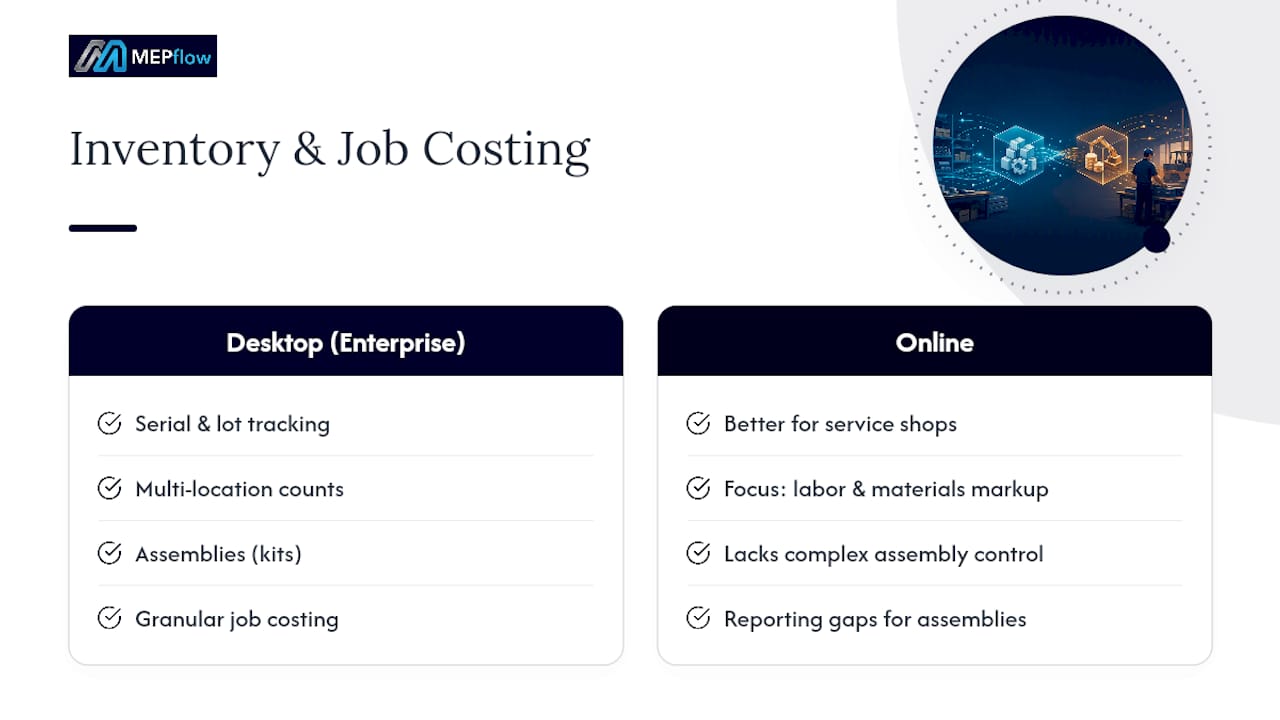
If your shop stocks parts across multiple trucks or warehouses, this is where Desktop still earns its keep. QuickBooks Desktop Enterprise supports advanced inventory features: serial and lot tracking, multi-location counts, and assemblies (bundling parts into a finished kit with its own cost). Job costing runs deeper too, letting you track labor, materials, and overhead against a specific job with more granularity than Online’s project tracking offers natively.
QuickBooks Online has narrowed that gap, particularly for service-based shops that care more about labor hours and materials markup than warehouse-level inventory control. Moving from Desktop to Online can expose reporting gaps for shops with complex assemblies, so check your current job-costing reports before you commit to a migration. Many shops close that gap with third-party apps that plug into Online’s ecosystem for inventory or advanced costing.
Reporting Depth and Data Capacity: What Changes?
Desktop’s report library runs longer and its filters cut finer, especially if your bookkeeper likes exporting straight to Excel for custom pivot tables. That workflow still feels native in Desktop in a way Online hasn’t fully matched.
Online counters with dashboards built for quick decisions on the road and a growing set of app-driven reporting tools that fill in specialized gaps. If you are managing job profitability from a truck between calls, a clean mobile dashboard often beats a denser desktop report you will not open until Friday. One caution either way: both products have record and file-size ceilings that matter more as your customer list and transaction history grow, so ask your accountant where your shop sits against those limits before a big migration.
Which Has a Better App and Integration Ecosystem?
QuickBooks Online’s app marketplace is bigger, and its modern API makes it easier for developers to build tools that sync in real time. That matters if you are running payroll, payment processing, and a field-service app off the same books.
Desktop’s integrations tend to be more specialized, often built for accountants who need direct database access rather than a public API. Practitioner guides note that pairing a field-service app with QuickBooks Online often gives shops the mobility and job-costing data they need without leaning on Desktop’s native tools at all. For a 5-truck electrical outfit, that usually means fewer manual entries between your scheduling app and your books.
What Do Pricing and Licensing Actually Look Like?
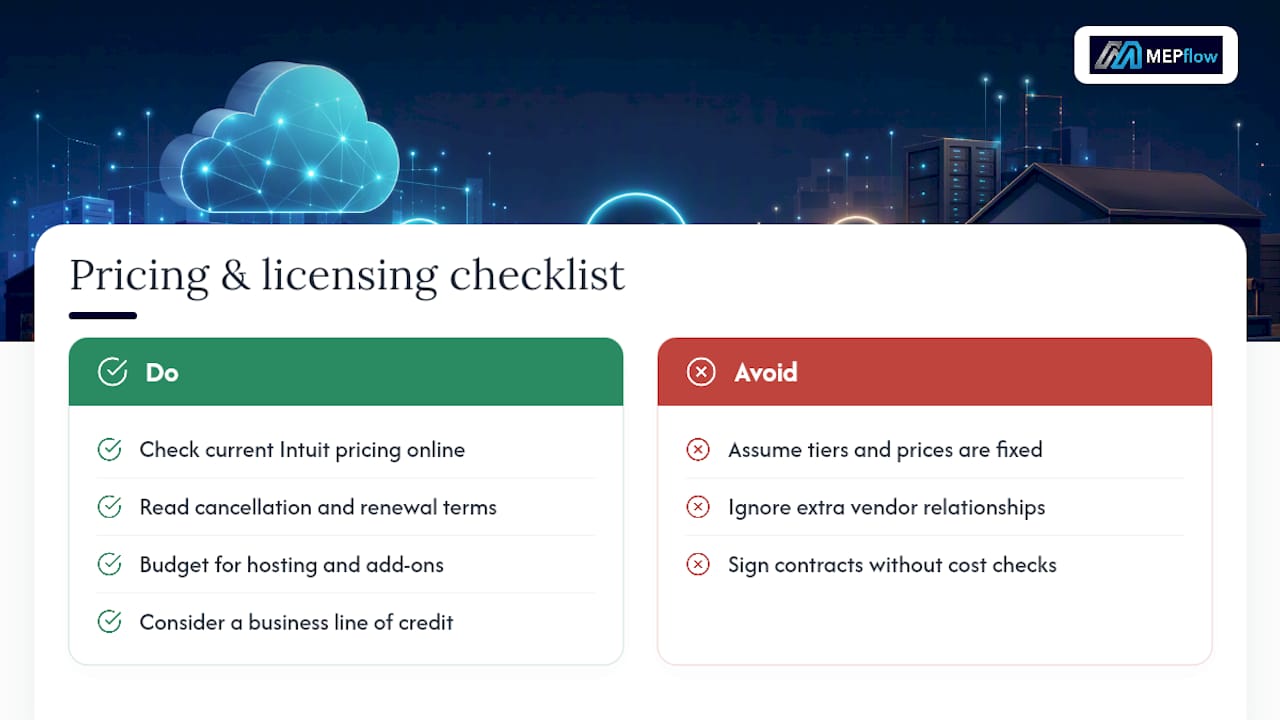
QuickBooks Online bills monthly per company, with tiers based mostly on user count and feature access. QuickBooks Desktop, including Enterprise, is sold on subscription too now, priced in tiers with add-ons for things like hosting bundles and Remote Desktop Services CALs if you want remote access. Hosted Desktop solves mobility but stacks a hosting fee on top of your Desktop subscription, and it adds a second vendor relationship to manage if something breaks.
Neither product’s exact pricing belongs in a decision you make without checking current numbers directly on Intuit’s site, since tiers shift. Before signing anything, read the cancellation and renewal terms in the official documentation, and if the extra subscription cost affects your cash flow, a business line of credit can smooth the transition while you’re paying for both old and new systems during migration.
How Do You Migrate Without Losing Data?
Moving from Desktop to Online, or upgrading within Desktop, is not a weekend project if your books have years of job-costing history in them. Get your accountant involved early. They will export your Desktop file, map your job-costing fields to Online’s project structure, and flag anything that will not translate cleanly, like custom fields or memorized reports.
Intuit has also posted discontinuation notices that cut off support, bank feeds, and security updates for older Desktop versions on set dates, which creates a real deadline rather than a someday project.
- Export a full backup of your current file before touching anything.
- Run your migration in a slow month, never during your busiest season.
- Test bank feeds and payroll continuity in the new system before your old one goes dark.
- Keep the old file accessible for at least one full tax cycle.
Which Version Fits Your Shop’s Situation?
Pick QuickBooks Online if your crews need remote access, your accountant wants live collaboration, and you rely on apps for scheduling, payments, or field service. Pick Desktop, or hosted Desktop, if you are running multi-location inventory, complex assemblies, or multiple company files that need Desktop’s deeper reporting.
- Choose Online if your office manager and your accountant need to work in the books simultaneously from different locations.
- Choose Desktop/hosted Desktop if you track serialized inventory or lot numbers across several trucks or warehouses.
- Ask your accountant whether your current custom reports would survive a move to Online before you decide anything.
Pro Tip: Bring your last three months of job-costing reports to your accountant conversation. If they show a gap Online can’t fill natively, that’s your strongest signal to consider hosted Desktop instead of a straight migration.
What Small Shop Owners Get Wrong About This Decision
Most owners treat this like a software feature checklist. It isn’t. The real question is whether your crew captures job data where the job happens, on a phone, in a truck bed, standing next to a busted water heater, or whether that data gets rebuilt later from memory and a stack of receipts.
Shops that keep Desktop usually have a specific reason: multi-location inventory or a bookkeeper who refuses to give up custom Excel exports. Everyone else benefits more from cloud access than from deeper reports they check twice a month. Pairing a mobile-first field platform with QuickBooks Online, rather than fighting Desktop’s file-locking model from a truck, tends to close the real gap: getting job costs and photos into the books before the invoice goes out, not three days later.
— Jonathan
Pair Your QuickBooks Setup With Field-Ready Software
Whichever QuickBooks product you land on, the accounting software only knows what your crew tells it. This software handles parts QuickBooks never touches well: scheduling and dispatch, mobile estimates with photos, detailed job costing, and invoicing with instant payment links, all built for the phone in the truck, not a desk in the office.
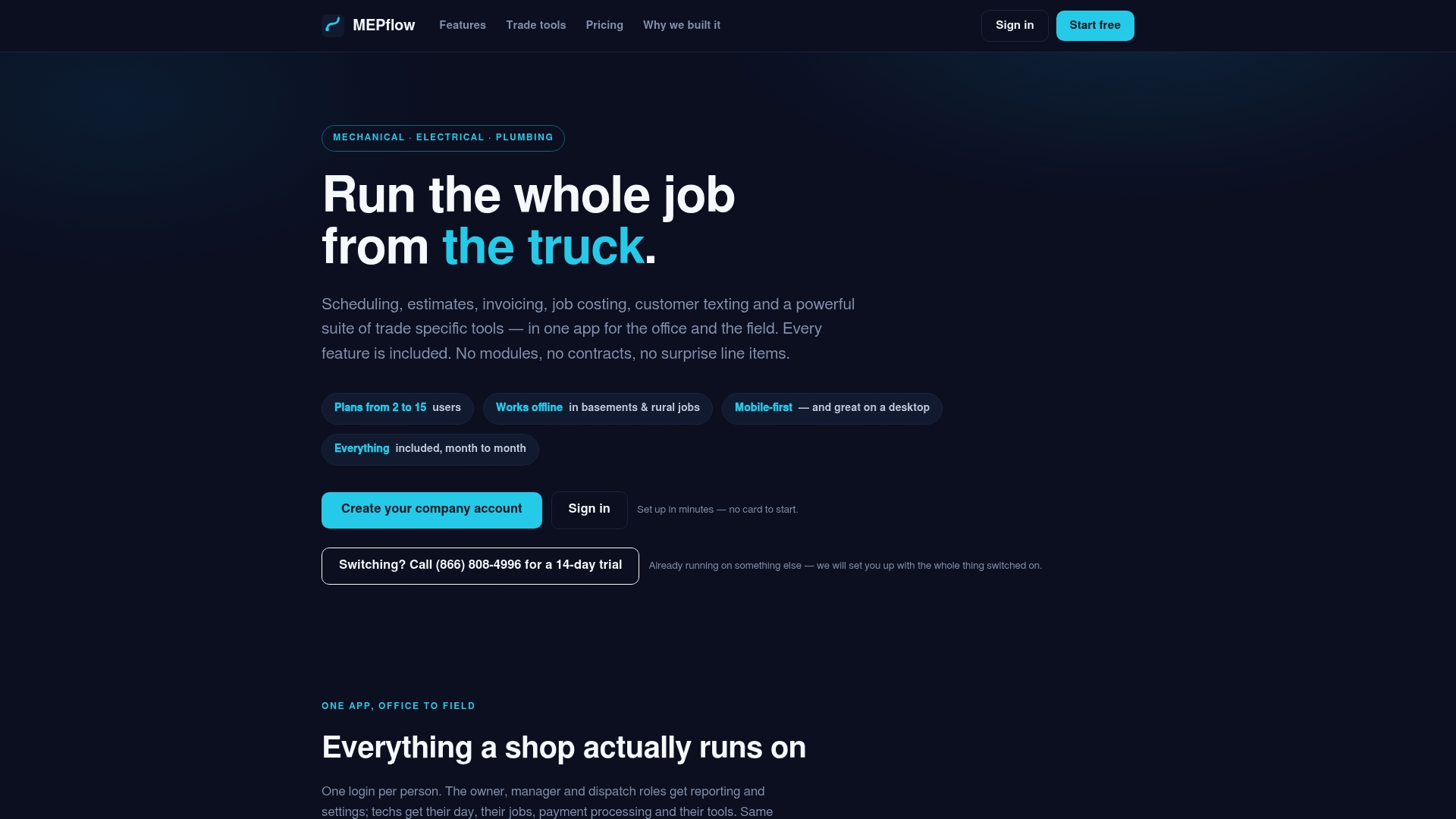
The software syncs with QuickBooks, so job costs and invoices land in your books without retyping. If you’re leaning toward QuickBooks Online because your crews need mobile access, adding field service software on top often removes the pressure to keep Desktop-only features around at all. It runs offline too, so a job in a signal dead zone still syncs when the truck returns to coverage. Pricing questions belong on the pricing page; to see the trade tools and trial the full platform, call 866-808-4996 for the 14-day trial, or create your company account and get your first five customers loaded in free.
Sources
FAQ
Is QuickBooks Desktop Going Away in 2026?
No. QuickBooks Desktop Enterprise remains available for new U.S. customers, but Intuit has issued discontinuation notices that cut off support and updates for specific older versions on set dates. Check your exact version against Intuit’s current schedule before assuming you’re safe.
Why Do Some Accountants Prefer Desktop Over Online?
Some accountants favor Desktop for its deeper report filters and direct Excel export workflow, which feels more familiar for complex job-costing analysis. Others simply have years of muscle memory built around Desktop’s interface and multi-company file handling.
What Are the Disadvantages of QuickBooks Online?
QuickBooks Online can feel limited for shops needing serialized inventory, multi-location stock tracking, or dense custom reports that Desktop Enterprise handles natively. Users on forums also point to subscription cost concerns and feature limits as recurring friction points compared to owning a Desktop license outright.
Will QuickBooks Desktop Be Discontinued Entirely Soon?
Intuit has not announced a full end date for the entire Desktop product line, only staged discontinuation notices for specific older versions. Shops running current Desktop Enterprise subscriptions should still plan periodic upgrades, since Intuit typically phases out support for versions a few years after release.
Does QuickBooks Online Work Well for Field-Service Shops?
Yes, particularly when paired with a mobile-first platform like MEPflow that captures job costing, estimates, and invoicing from the truck and syncs that data into QuickBooks Online automatically. That combination usually replaces whatever Desktop-only workflow a growing shop would otherwise need.
Where to next
- See what MEPflow doesScheduling, estimates, dispatch, invoicing and job costing in one app.
- Create your company accountSet your shop up in a few minutes. No card to start.
- How to Reduce Field Service Scheduling TimeMore from the MEPflow blog
- Cut No Shows 25%: Text Appointment Reminders for Service ShopsMore from the MEPflow blog