Mobile Estimating Tools for Field Techs
Mobile estimating tools help field technicians create quotes on-site, send estimates instantly, and invoice before leaving the job. Learn what to look for.
Table of Contents
- Why Mobile Estimating Tools Matter for Field Technicians
- Field Service Estimating Software: Core Capabilities You Need
- HVAC Estimating Software: Features Built for Mechanical Contractors
- Plumbing Estimating Software: Simplifying Quotes in the Field
- Estimate and Invoice App for Contractors: Closing Jobs Faster
- What to Look for in a Mobile Estimating Tool
- Common Mistakes When Choosing Mobile Estimating Tools
- Frequently Asked Questions
Last Updated: October 5, 2026
Why Mobile Estimating Tools Matter for Field Technicians
Field technicians spend their days solving problems on-site. They're in attics, crawlspaces, and mechanical rooms where they need to diagnose issues, scope work, and quote customers, all without leaving the job.
The real problem isn't that estimates take time. It's that traditional methods, pen and paper, back-to-office processing, email delays, create friction between the technician's assessment and the customer's decision. That gap costs jobs.
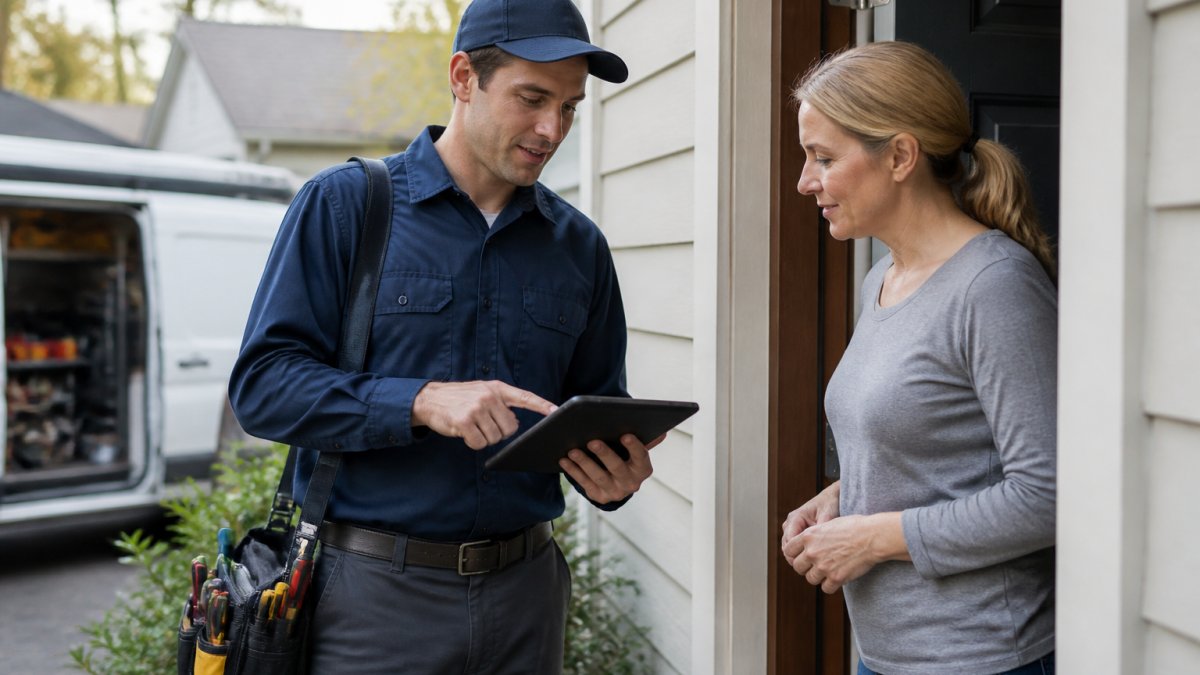
Mobile estimating tools for field techs close that gap. They let you create professional, accurate estimates on-site, present them immediately, and convert them into invoices before you pack up your truck.
The best platforms handle the full workflow: material catalogs with real-time pricing, job costing that reconciles labor and materials, and seamless integration with scheduling and invoicing.
Field Service Estimating Software: Core Capabilities You Need
Field service estimating software consolidates the tools you need to quote and manage jobs.
Start with these non-negotiable capabilities. A platform without them will create more work, not less.
Offline estimating. Your crews work in areas with spotty connectivity. The app must function completely offline, then sync data when connection returns.
Material catalogs and pricing. Manual pricing is slow and error-prone. Your platform should pull from supplier catalogs or let you upload your own pricing database.
Professional estimate templates. The estimate is your sales document. It should look professional, include your branding, itemize labor and materials separately, and present pricing clearly. A generic-looking quote loses credibility with customers.
Estimate-to-invoice workflow. Once a customer approves the estimate, you should convert it directly into a work order or invoice. This eliminates re-entry and reduces the time between approval and job completion.
Job costing that reconciles. Track actual labor hours, material costs, and equipment usage against the estimate.
HVAC Estimating Software: Features Built for Mechanical Contractors
HVAC contractors face unique estimating challenges. You're quoting equipment replacements, system upgrades, and maintenance plans, each with different labor and material profiles. Your estimating tool needs to understand HVAC workflows.
Look for platforms that include HVAC-specific material libraries. These should cover common equipment (furnaces, heat pumps, air handlers, thermostats) with accurate labor estimates for installation and service.
Seasonal workflows matter too. Summer AC maintenance, winter furnace repairs, and spring system upgrades have different staffing and scheduling demands. Your estimating software should feed directly into your scheduling system so dispatch adjusts crew assignments based on incoming jobs.
Warranty and service plan tracking is critical. Many HVAC shops offer extended warranties or maintenance agreements. Your platform should let you quote these as add-ons to the main estimate and track them for follow-up service scheduling.
The best HVAC estimating software also handles multi-stage jobs. A furnace replacement might involve an initial inspection estimate, then a follow-up installation quote.
Plumbing Estimating Software: Simplifying Quotes in the Field
Plumbing jobs vary wildly, water heater replacement, drain cleaning, fixture installation, emergency repairs. Your estimating software needs flexibility to handle this variety without slowing you down.
Plumbing-specific catalogs are essential. Your app should include common fixtures, fittings, and materials with standard pricing.
Service call estimates are different from project estimates. A drain cleaning or leak repair is diagnosed on-site and quoted immediately. Your platform should support quick, simple estimates for service work alongside detailed project quotes.
Water heater and appliance replacement is a high-margin service. Your platform should include standard labor times for common replacements (40-gallon tank, tankless, etc.) so your technician can quote accurately without guessing.
Permit and inspection tracking matters for plumbing work. Your platform should let you note required permits, inspections, and compliance requirements on the estimate so nothing gets missed during execution.
The best plumbing estimating software also handles material waste and contingencies. Plumbing work often uncovers hidden issues, corroded pipes, structural obstacles, code violations.
Estimate and Invoice App for Contractors: Closing Jobs Faster
An estimate and invoice app for contractors eliminates the gap between approval and payment.
This changes your cash flow. Instead of waiting days for office processing, you collect payment on-site. For cash-based trades, this is transformational.
The app should handle multiple payment methods: credit card, check, bank transfer, or cash. It should integrate with your payment processor so you can accept cards directly from the customer.
Digital signatures are non-negotiable. The customer should sign the estimate and invoice electronically, eliminating paper and creating an audit trail. This protects you legally and speeds up the process.
The app should also generate and send a digital copy to the customer immediately.
Integration with your accounting system matters. Invoices should sync automatically to your accounting software so your office doesn't have to re-enter data. This reduces errors and frees your office team for higher-value work.
What to Look for in a Mobile Estimating Tool
Choosing the right mobile estimating tool for field techs requires evaluating both capability and practicality. Here's what separates tools that work in the field from tools that look good in a demo but fail in reality.
Offline Capability and Unreliable Connectivity
Your crews work where connectivity is unpredictable. A tool that requires constant internet connection will fail you. The platform must work completely offline, creating estimates, accessing material catalogs, calculating pricing, then sync seamlessly when connection returns.
Test this before committing. Create an estimate in airplane mode. Can your technician access all materials and pricing? Does the app calculate totals correctly? Can they save the estimate and sync it later? If the answer to any of these is no, move on.
Offline capability also means your material catalogs and pricing must be downloaded to the device. Cloud-only pricing lookups won't work in the field. Your app should sync your current pricing database to each technician's phone or tablet, updating automatically when they connect.
Data security matters when syncing offline data. Make sure the platform encrypts data in transit and at rest. Your customer information and pricing should be protected, even if a technician loses their device.
Material Catalogs and Real-Time Pricing
Material costs drive accuracy. If your app forces your technician to manually enter prices, they'll guess or use outdated numbers. The result is inconsistent estimates and margin surprises.
The best platforms pull directly from supplier catalogs, HVAC distributors, plumbing suppliers, electrical wholesalers. When pricing changes, your app updates automatically. Your technician always quotes current prices.
If direct supplier integration isn't available, the platform should let you upload and manage your own pricing database. You should be able to organize materials by category, add custom items, and adjust pricing based on volume discounts or seasonal rates.
Real-time pricing also means your technician can quote alternatives quickly. If a customer balks at the price of a premium furnace, your technician can instantly show the cost of a mid-range option. This flexibility closes more jobs.
Estimate Accuracy and Job Costing
An estimate is only valuable if it's accurate. When you consistently underestimate labor, your margins disappear. When you overestimate, you lose jobs to competitors.
The platform should include realistic labor standards for common tasks. How long does it take to replace a 40-gallon water heater? Install a new circuit? Clear a main line? Your app should have these built-in so your technician doesn't have to guess.
After the job completes, actual labor hours and material usage should feed back into your job costing system. This tells you where your estimates were accurate and where you're consistently off. Over time, this data improves your estimates.
Look for platforms that compare estimated costs to actual costs and flag significant variances. If you estimated 2 hours of labor but the technician logged 4 hours, you need to know that. Maybe your labor standard was wrong, or maybe the technician encountered unexpected conditions. Either way, the data helps you improve.
Mobile App Usability and Technician Adoption
The best tool in the world fails if your technicians won't use it. Field workers are skeptical of new apps, they've been burned before by clunky software that slows them down.
Test the app with your actual technicians before rolling it out. Can they create an estimate in under 5 minutes? Can they find materials and pricing intuitively? Does the interface work with gloved hands? Can they sign the estimate and show it to the customer on a phone or tablet?
Adoption also depends on perceived value. If your technicians see that the app gets customers to approve faster and reduces office admin work, they'll embrace it. If it feels like extra work, they'll abandon it.
Training matters. Dedicate time to teaching your team how to use the tool effectively. Show them how to access materials, calculate pricing, and present estimates professionally. The investment in training pays off in faster adoption and better results.
Common Mistakes When Choosing Mobile Estimating Tools
Most shops make one of these mistakes when evaluating mobile estimating tools for field techs. Knowing what to avoid saves time and money.
Choosing based on demo performance, not field performance. A platform might work flawlessly in your office with perfect WiFi.
Ignoring integration with your existing systems. You already have scheduling software, accounting software, maybe a CRM. A new estimating tool shouldn't duplicate work.
Underestimating training and adoption time. A new tool requires training and adjustment.
Choosing based on price alone. The cheapest tool often creates hidden costs: manual data entry, syncing failures, poor customer experience, lost jobs.
Not considering your growth trajectory. If you're planning to grow from 5 trucks to 20 trucks, choose a platform that scales with you.
Mobile estimating tools for field techs aren't a luxury, they're how modern trade shops compete.
MEPflow is purpose-built by a master plumber, a master electrician, and an HVAC technician specifically for this workflow.
Frequently Asked Questions
What features should mobile estimating tools include for field technicians?
A solid mobile estimating tool should let you create line-item estimates on-site with labor, material, and equipment costs, access material catalogs with real-time pricing, work offline when connectivity is spotty, send professional quotes directly to customers, convert approved estimates into work orders or invoices, and sync everything back to your office system. The app should be fast and intuitive, if it slows down your workflow or confuses your crew, adoption will fail. Look for tools that integrate with your existing scheduling and invoicing, so you're not juggling three separate systems.
Can field technicians create and send estimates from a mobile app?
Yes. Modern mobile estimating tools are designed for this exact workflow. A technician can build a detailed estimate on-site using a smartphone or tablet, customize it with your company branding and pricing, and send it to the customer immediately, often via email or text. Some platforms let you collect a digital signature or approval right there in the app. This speed closes jobs faster and reduces back-and-forth delays. However, the quality depends on the tool: cheap or poorly designed apps slow techs down and get abandoned in favor of pen and paper.
How do mobile estimates help service businesses win more jobs?
Speed and professionalism matter. When a technician can walk a customer through a detailed, branded estimate on-site and send it instantly, you look more professional than competitors who promise to email something later. Faster turnaround means customers decide sooner, reducing the chance they shop around. Some platforms let you invoice before leaving the job, which accelerates cash flow and reduces follow-up admin work. Accurate, itemized estimates also build customer trust and reduce disputes over pricing.
Can estimating software turn an approved estimate into a work order or invoice?
Yes, and this is a critical feature. When a customer approves an estimate, the best tools convert it into a work order your office can dispatch or an invoice you can send immediately. This eliminates manual re-entry and reduces errors. Some platforms let the technician invoice on-site before leaving the job, which accelerates payment collection and simplifies your accounting. Without this workflow, you're still doing duplicate data entry, defeating the purpose of going mobile.
Where to next
- See what MEPflow doesScheduling, estimates, dispatch, invoicing and job costing in one app.
- Create your company accountSet your shop up in a few minutes. No card to start.
- Plumbing Field Service Software: How the Options CompareMore from the MEPflow blog
- Best Service Dispatch Software for Plumbing, HVAC and Electrical ShopsMore from the MEPflow blog