Best Service Dispatch Software for Plumbing, HVAC and Electrical Shops
Compare the best service dispatch software for 2–30 truck plumbing, HVAC and electrical shops: what each tool does, who it fits, and what to check first.
Best Service Dispatch Software for Plumbing, HVAC and Electrical Shops
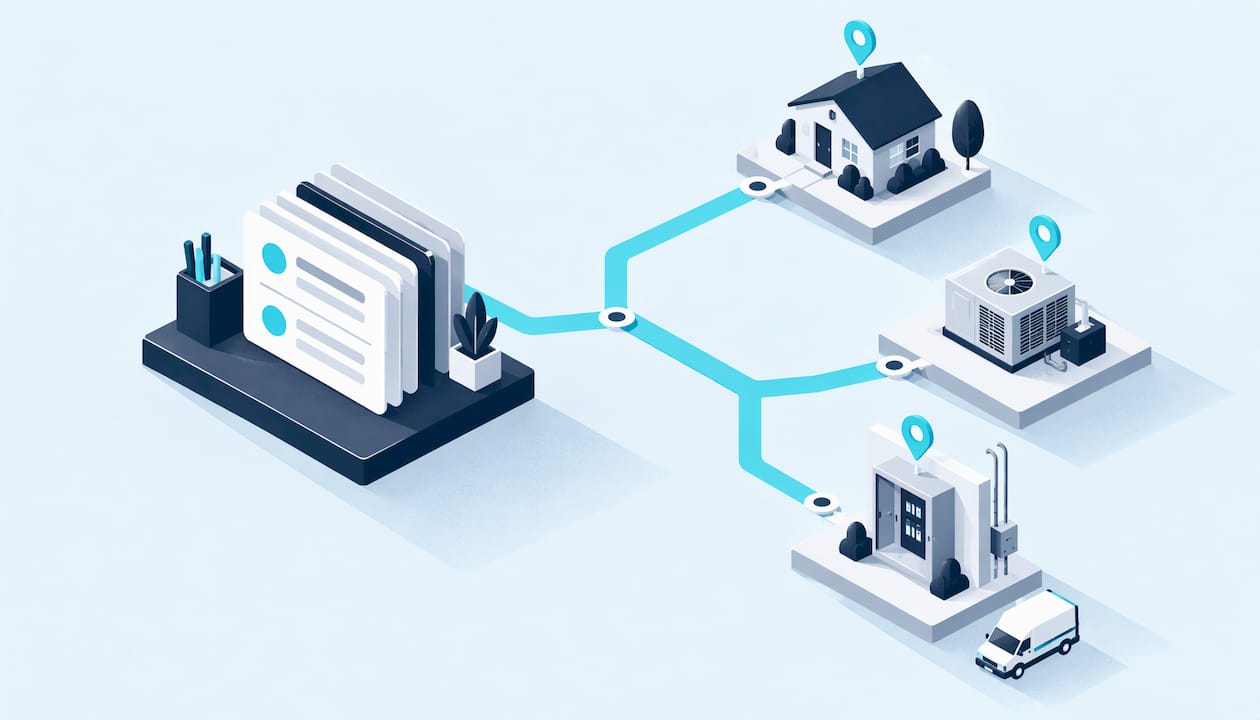
The best service dispatch software for a 2 to 30 truck plumbing, HVAC or electrical shop is the one that puts the job, the technician, the estimate, the invoice and the job cost in one record, on the phone in the truck and on the desk in the office. A calendar alone is not enough. MEPflow is built around that idea: scheduling and dispatch, Good/Better/Best estimates, invoicing, job costing, customer texting, timeclock and payroll, a per-trade pricebook and trade calculators in one application, with every feature on every plan.
Below is how the main options compare for a small trade shop, what to check before you commit, and how to move off a spreadsheet, a whiteboard or another platform without losing your customer history.
TL;DR
- Dispatch is only as good as the data behind it: pick a tool where scheduling, estimates, invoices and job costs share one record.
- MEPflow is mobile-first, works offline, has a full desktop office side on the same data, and includes every feature on every plan. Plans differ only by crew size.
- Most rival tools split features across tiers or charge by user, job count or route, so the price you see first is rarely the price of the tools you need.
- Switching is mostly a data-cleanup problem. We import your existing customer and job data for you.
- Month to month, no contract, no setup fee: you can judge it on your own trucks.
Table of Contents
- What a small trade shop actually needs from dispatch software
- How the main options compare
- Dispatch and scheduling: what to look for in the daily routine
- The field side: estimates, invoices and job cost from the phone
- Pricing models: read the structure, not the headline
- Switching from a spreadsheet, a whiteboard or another platform
- Perspective: what we learned running dispatch from the truck
- Try MEPflow on your own trucks
- FAQ
- Sources
What a small trade shop actually needs from dispatch software
Large dispatch platforms are built for delivery fleets and enterprise operations. A list of the “top 12 dispatch tools” will often lead with last-mile delivery orchestration, which has nothing to do with a plumber who needs to move a no-heat call ahead of a water heater swap. A shop with 2 to 30 trucks needs something narrower and more practical.
One small-trades comparison suggests a shop of 1 to 15 people should check whether the tool holds the customer record, turns a quote into a job, puts that job on a technician’s schedule and sends the invoice when the work is done. That is a good test, and we would add three more for a trade contractor:
- Does the technician see everything from the job? Customer history, photos, materials, the estimate and the invoice, without calling the office.
- Does it survive a basement or an attic? Signal drops. Photos, materials and job status should sync when it returns.
- Does the job cost show up while the job is open? Labor, materials and overhead, not a margin guess at month end.
- Does the whole shop pay one predictable way? Features locked behind higher tiers turn a cheap-looking plan into a bigger one once you need route tools, GPS or reports.
How the main options compare
The shortlist below follows the field-service tools that small US trade shops most often compare. The fit descriptions draw on Kejoola’s small-trades shortlist; we have put MEPflow first because it is the one built from the inside of a plumbing, HVAC and electrical truck.
| Tool | Where it tends to fit | Notes for a trade shop |
|---|---|---|
| MEPflow | 2 to 30 truck plumbing, HVAC and electrical shops | One app for office and field, offline, per-trade pricebook, calculators, all features on every plan |
| Housecall Pro | Residential trades | Calendar-driven dispatch, popular with smaller crews |
| Jobber | Solo owners and small crews | Lightweight scheduling and quoting |
| Kickserv | Budget crews | Entry-level pricing, plan limits on users |
| Service Fusion | Growing teams | Unlimited users, higher flat price |
| FieldPulse | Teams outgrowing entry apps | Drag-and-drop dispatch calendar |
| FieldEdge | Established multi-truck shops | Request-a-quote pricing, mobile licenses per plan |
| ServiceTitan | Larger contractors | Built for bigger operations |
MEPflow: the pick for 2 to 30 truck shops
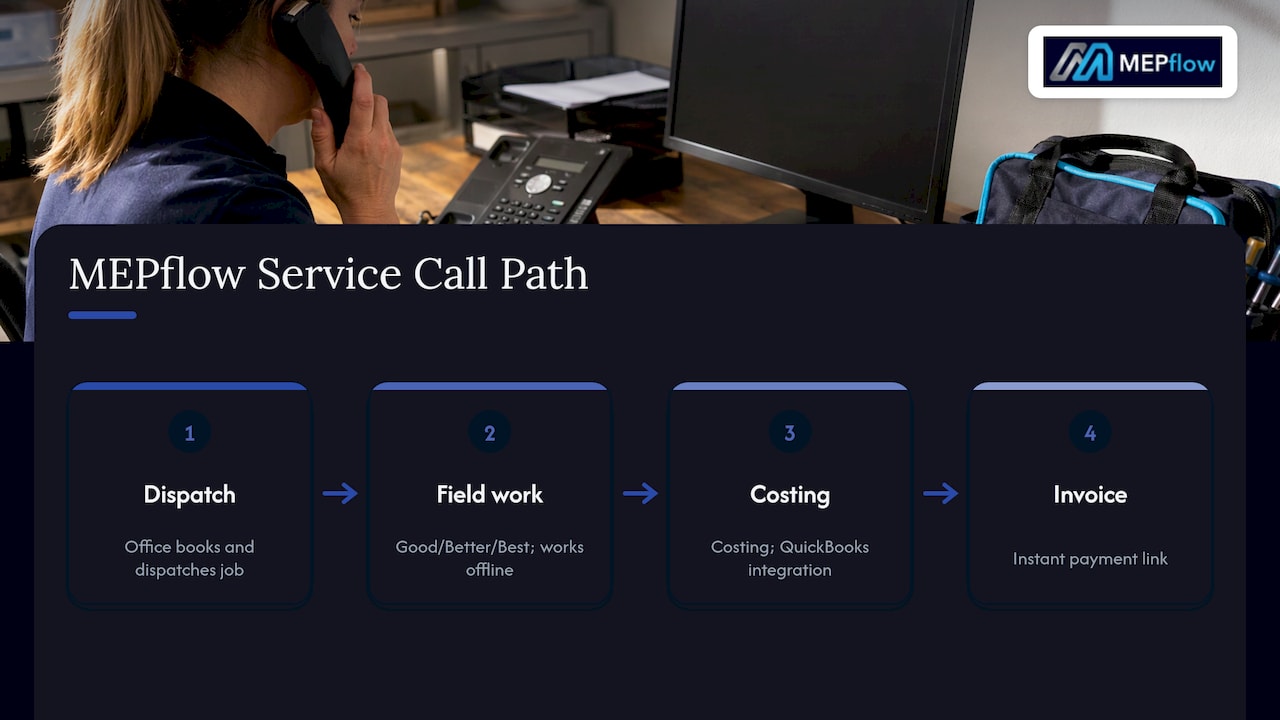
MEPflow covers the whole path of a service call. The office books and dispatches the job. The technician opens it on a phone, builds a Good/Better/Best estimate with photos, sends an invoice with an instant payment link, and texts the customer an arrival notice. Labor, materials and overhead feed job costing as the work happens, and QuickBooks integration keeps the books in step. Live fleet and equipment tracking, KPI and reporting tools, and a timeclock with payroll sit in the same place.
Two things matter most for dispatch. First, the app is mobile-first and works offline, so a tech in a crawlspace keeps working and the office sees the update when signal returns. Second, trade calculators and code lookups are one swipe from the job, so the tech does not leave the work order to do a pipe-sizing or load calculation. Our team, a master plumber, a master electrician and an HVAC technician, run MEPflow on their own trucks before anyone else sees it.
If you want to see how the field side holds up, our guide on testing mobile field service software offline walks through what to try on a real job.
Housecall Pro and Jobber
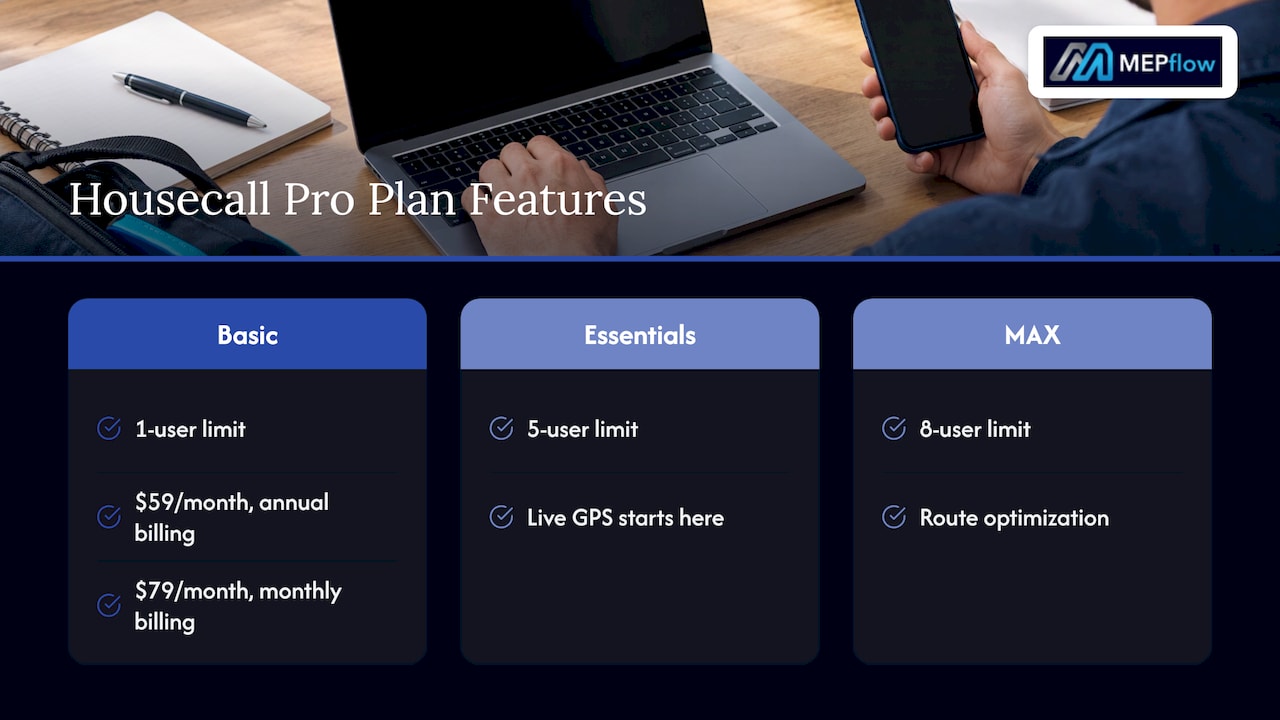
Both are common first stops for small shops. West Agate describes Housecall Pro as having a drag-and-drop calendar, reminders and on-my-way texts, with live GPS starting at its Essentials plan and route optimization on its MAX plan. The same comparison, as of October 27, 2026, listed Housecall Pro at $59 a month billed annually ($79 monthly) with 1 user on Basic, 5 on Essentials and 8 on MAX. For a shop with six or eight trucks, the plan you need to get GPS and routing is therefore not the one the headline price describes.
Field Service Lab’s dispatch guide confirms that the lowest published plans for both Jobber and Housecall Pro include scheduling. That is the baseline. The question for a growing shop is what happens when you want job costing, a pricebook per trade and calculators in the same record. With MEPflow, those are included on every plan.
Kickserv, Service Fusion and ServiceM8
These three use very different pricing logic, which is the real comparison point.
- Kickserv was listed at $60 a month for 5 users, $119 for 10 and $199 for 20, with dispatch mapping and GPS check-ins arriving on the middle plan. Features move up as the plan does.
- Service Fusion was listed in the West Agate price comparison at $208 a month billed annually ($245 monthly) with unlimited users, a different bet: higher flat cost, no per-seat count.
- ServiceM8 charges by new jobs per month rather than users. In the same comparison it was free for 30 jobs, $29 a month for 50 jobs and $79 for 150, with a dispatch map and auto routing on every plan. A busy shop that books more jobs outgrows the lower tiers quickly.
Three pricing models, three different ways your bill can move. MEPflow bills monthly by user count, with plans that differ only by crew size, never by capability. For current MEPflow pricing, see the pricing section on our home page.
FieldEdge, FieldPulse and ServiceTitan
FieldEdge targets established multi-truck HVAC, plumbing and electrical shops. According to Kejoola’s October 2026 check, every FieldEdge plan includes call booking, work orders, scheduling, dispatching, a flat-rate price book and integrated payments, with mobile app licenses of 2 on Select, 4 on Premier and 6 on Elite and pricing on request. Licenses per plan mean a growing crew has to think about the tier before it adds a truck.
FieldPulse offers a drag-and-drop dispatch calendar with real-time notifications and GPS, as West Agate describes it. ServiceTitan is aimed at larger contractors, and one November 2026 comparison could not confirm its pricing because the official page was inaccessible. If you run a 5 or 15 truck shop and are weighing it, our write-up on ServiceTitan alternatives for small trade shops goes through what a smaller operation tends to need instead.
Dispatch and scheduling: what to look for in the daily routine
A dispatch board earns its keep on the worst morning of the week: two techs call out, an emergency comes in at 7:40 and a commercial job needs a second truck. In that moment, a few features matter more than anything on a feature list.
Real-time changes the tech can see
When the office moves a job, the technician should see it on the phone at once, and the customer should get a text with an arrival notice. Housecall Pro’s “on my way” texts and MEPflow’s integrated customer texting and arrival notifications cover this. Look at how many taps it takes the dispatcher to reassign a job, not just whether the feature exists. Our HVAC dispatching tips for small shops go through board habits that keep a 2 to 30 truck shop from double-booking.
Skills and profitability, not just availability
Some tools go further. SoftwareConnect describes ThermoGrid as weighing availability, skills and profitability per job before it assigns a technician. That is the direction good dispatch is going: the best board connects who is free to what the job is worth. In MEPflow, job costing sits on the same record as the schedule, so the office sees what a job is costing in labor, materials and overhead while it is still open.
Scheduling time itself
If your office spends an hour each morning rebuilding the day, the issue is workflow, not the calendar. We cover this in how to reduce field service scheduling time.
Commercial and multi-day work
Residential service calls are the easy case. Commercial and multi-day jobs need crew scheduling across several days. West Agate’s October 2026 comparison makes this distinction for electrical work, noting that entry plans cover service calls well while multi-day construction needs more. If your crews split time between service and larger installs, this practical guide to crew scheduling for HVAC service is worth reading alongside your software shortlist.
The field side: estimates, invoices and job cost from the phone
A dispatch tool that stops at the calendar leaves the technician writing the estimate on paper and the office retyping it. The features worth checking from a technician’s phone:
- Good/Better/Best estimates with photos. Customers choose between options on the spot. See our guide to mobile estimating tools for field techs.
- Invoicing with instant payment links. The invoice goes out before the truck leaves the driveway. HVAC techs who struggle with invoicing in the field are usually fighting a tool that makes it a separate step.
- A per-trade pricebook. Plumbing, HVAC and electrical price work differently. One generic list slows everyone down.
- Job costing on labor, materials and overhead. Electrical contractors who want real-time job cost tracking need materials and hours captured as the job runs. Read more in simple job costing software for plumbers.
- Trade calculators and code lookups. In MEPflow they are one swipe from the job.
For trade-specific reading, we have also written about the best field service software for electricians and the best mobile apps for plumbing technicians.
Pricing models: read the structure, not the headline
The price of dispatch software depends on what the vendor counts. Per user, per job, per route or per truck license each rewards a different shop. A tool that looks cheap per user may push GPS, routing or reporting to a higher tier. One software vendor’s overview of construction software pricing models is a useful way to understand the common structures before you compare quotes.
When you total a quote, write down the features you will use every day: dispatch map, GPS, QuickBooks sync, pricebook, job costing, reports. Then check which plan includes all of them. With MEPflow the answer is the same on every plan, because every feature is on every plan. It is month to month, with no contract and no setup fee.
Switching from a spreadsheet, a whiteboard or another platform
Most owners delay a switch because of the data, not the software. Migration guidance from the enterprise world is a fair reminder of what to prepare: legacy data carries its defects into the new system, such as duplicate customer sites, equipment with no serial numbers and former techs with open jobs, so cleaning records comes first.
A practical checklist for a trade shop:
- Export what you have. Customer list, service addresses, open jobs, equipment records and any pricebook.
- Clean before you load. Merge duplicate customers, remove old techs, fix addresses.
- Keep your old job numbers. They help when a customer disputes an invoice from last spring.
- Pick a start day and run both for a short overlap on one or two trucks first.
- Move the whole crew at once after that first week, so nobody is checking two systems.
With MEPflow, we import your existing customer and job data for you, which takes the biggest chore off the owner or office manager. Shops coming from Housecall Pro, ServiceTitan or Jobber, or from a spreadsheet and a whiteboard, start from the same place: a clean customer list.
Perspective: what we learned running dispatch from the truck
We built MEPflow because the software we were handed kept treating the field as an afterthought. A master plumber, a master electrician and an HVAC tech do not agree on much about pricing, but we agreed on this: the office board is only as useful as what the tech can do from the job.
That is why the app is mobile-first and works offline. A basement does not care about your signal, so photos, materials and job status sync when it returns. The desktop office side runs the same data, so the dispatcher and the tech never argue over which version is right.
It is also why we put every feature on every plan. A shop with 4 trucks and a shop with 25 should not get different tools, only different seat counts. And we run MEPflow on our own trucks before anyone else sees it, so the things that annoy a tech at 4 p.m. on a hot day get fixed first.
If you are choosing dispatch software this year, choose the one where scheduling, estimates, invoices and job cost live together.
Jonathan
Try MEPflow on your own trucks
MEPflow gives a 2 to 30 truck shop scheduling and dispatch, estimates, invoicing, job costing, customer texting, timeclock and payroll, and trade calculators in one place, month to month with no contract and no setup fee. For pricing, see the pricing section.
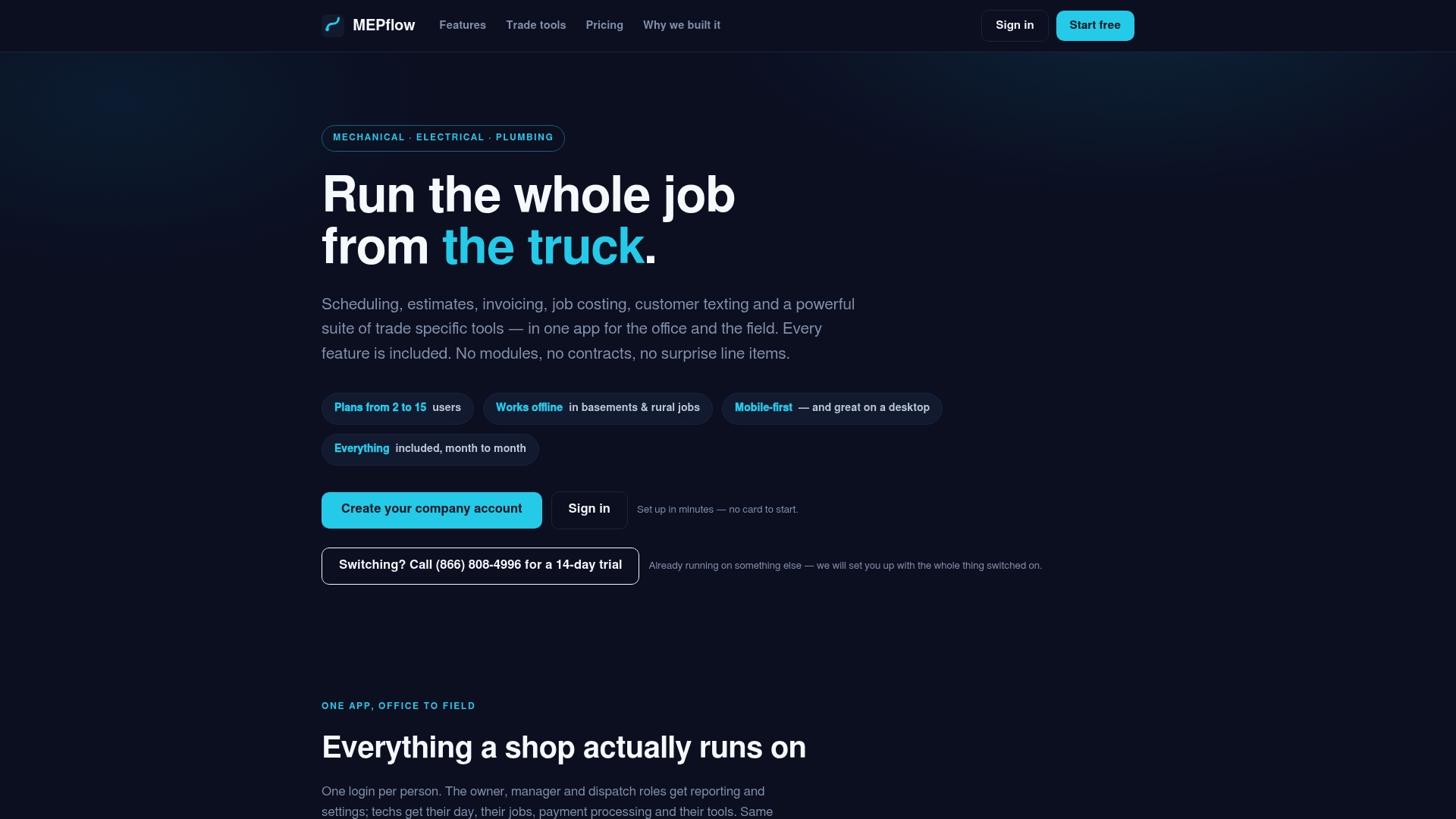
Free signup is capped at 5 customers and does not include the trade tools. If you want the full product, the 14-day trial is booked by calling 866-808-4996. When you are ready, Create your company account, or read more on the MEPflow home page.
FAQ
What is the best dispatch software for a small plumbing, HVAC or electrical company?
The best fit is software built for trade contractors, where the schedule, estimate, invoice and job cost share one record. MEPflow is designed for 2 to 30 truck shops and puts all features on every plan, so you do not have to move up a tier for the tools you need.
Does dispatch software work without a cell signal?
It should. MEPflow works offline, so photos, materials and job status sync when signal returns. That matters for basements, crawlspaces, attics and rural calls.
Can I switch from Housecall Pro, Jobber or ServiceTitan without starting over?
Yes. We import your existing customer and job data for you, so your history comes with you. It helps to clean duplicates and old records first, and keep your old job numbers for reference.
Is dispatch software only for the office?
No. The most useful part is what the technician can do from the phone: build estimates, take photos, send an invoice with a payment link, and use trade calculators. MEPflow has a full desktop office side running the same data.
Sources
- Best Field Service Management Software for Small Trades (Kejoola)
- Contractor Scheduling Software: 9 Apps Compared by Price (West Agate)
- Best Dispatch Software 2026 (Field Service Lab)
- 8 of the Best Service Scheduling Software in 2026 (SoftwareConnect)
- Best Field Service Management Software (2026) Compared (The Tech Hacker)
- Migrate Field Service Management considerations (OBLYTECH)
Recommended
Where to next
- See what MEPflow doesScheduling, estimates, dispatch, invoicing and job costing in one app.
- Create your company accountSet your shop up in a few minutes. No card to start.
- Plumbing Field Service Software: How the Options CompareMore from the MEPflow blog
- ServiceM8 Alternatives for US Plumbing, HVAC and Electrical ShopsMore from the MEPflow blog