ServiceM8 Alternatives for US Plumbing, HVAC and Electrical Shops
Looking for a ServiceM8 alternative for your US plumbing, HVAC or electrical shop? Compare the options on field invoicing, job costing and offline use.
ServiceM8 Alternatives for US Plumbing, HVAC and Electrical Shops
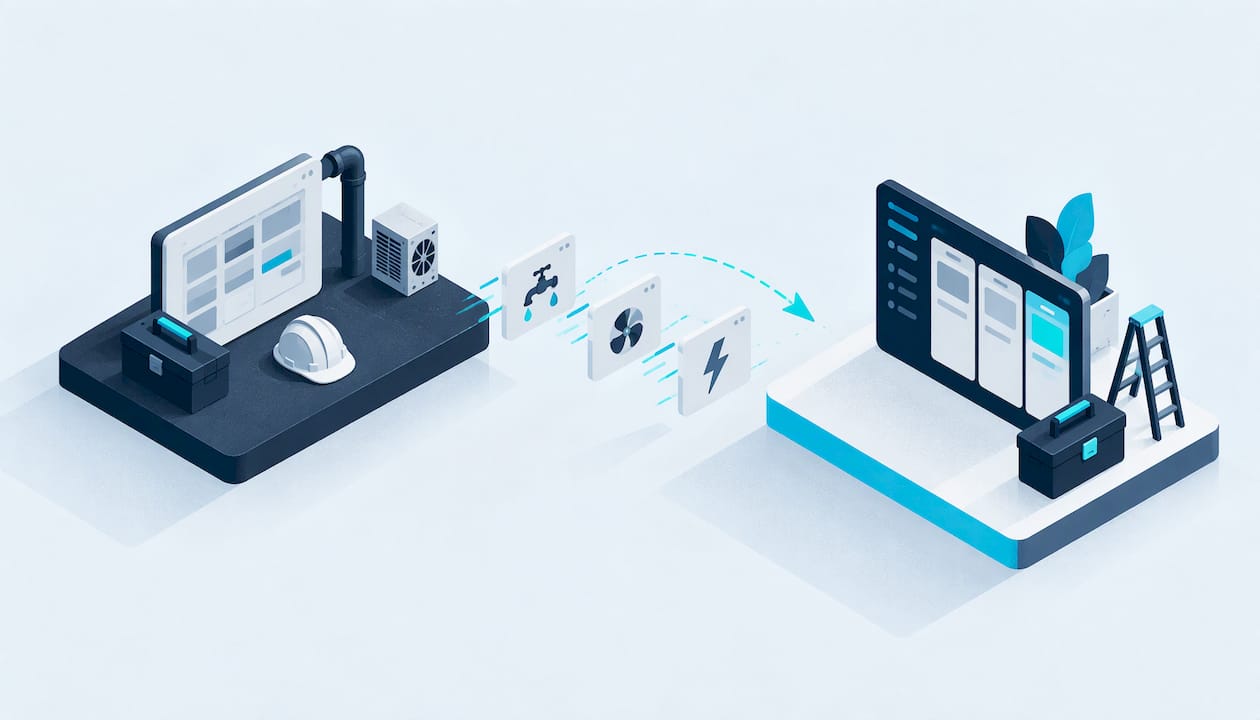
If you run a 2 to 30 truck plumbing, HVAC or electrical shop in the US and ServiceM8 no longer fits, the best alternative is the one built around your trade, not around a generic “job”. MEPflow is our pick: one app for the office and the truck, with scheduling, Good/Better/Best estimates, invoicing, job costing, texting, timeclock and trade calculators all included on every plan, and it works offline. The rest of this page shows how to compare it with Jobber, Housecall Pro, ServiceTitan, Service Fusion, FieldPulse, FieldEdge and Workiz, so you can decide on your own criteria.
TL;DR
- Most shops leave ServiceM8 for the same reasons: they outgrow a job-count model, need real job costing, or want trade tools (code lookups, calculators, a per-trade pricebook) inside the app.
- Judge any alternative on five things: field invoicing, job costing for labor, materials and overhead, offline behavior, whether features are locked behind higher tiers, and how your old data gets in.
- MEPflow includes every feature on every plan, plans differ only by crew size, it is month to month with no contract and no setup fee, and we import your customer and job data for you.
- Pricing for MEPflow is on the pricing section. Create your company account when you are ready to look inside.
Table of Contents
- Why shops look past ServiceM8
- What to compare before you switch
- The main ServiceM8 alternatives, side by side
- Features to line up, trade by trade
- A short decision path
- Looking at MEPflow
- Our view on switching
- FAQ
- Sources
Why shops look past ServiceM8
ServiceM8 is a well-known scheduling and quoting app for small service businesses. A plumbing, HVAC or electrical company with several trucks asks more of its software than a general job app does. The questions that come up most are practical:
- Can a tech build a Good/Better/Best estimate with photos on the phone, in the driveway, and get paid before leaving?
- Does the owner see what a job actually cost (labor, materials, overhead) while it is still open, not at month end?
- Does the app still work in a basement, a crawlspace or a new build with no signal?
- Does the pricebook speak plumbing, HVAC and electrical, or is every line item typed by hand?
- When the shop grows from three trucks to twelve, does the price jump because features sit on a higher tier?
Those five questions are the filter for everything below. A tool that answers them well for a 2 to 30 truck shop is a real alternative. One that answers them only for a solo operator or only for a 200-tech enterprise is not.
What to compare before you switch
Field invoicing and payment
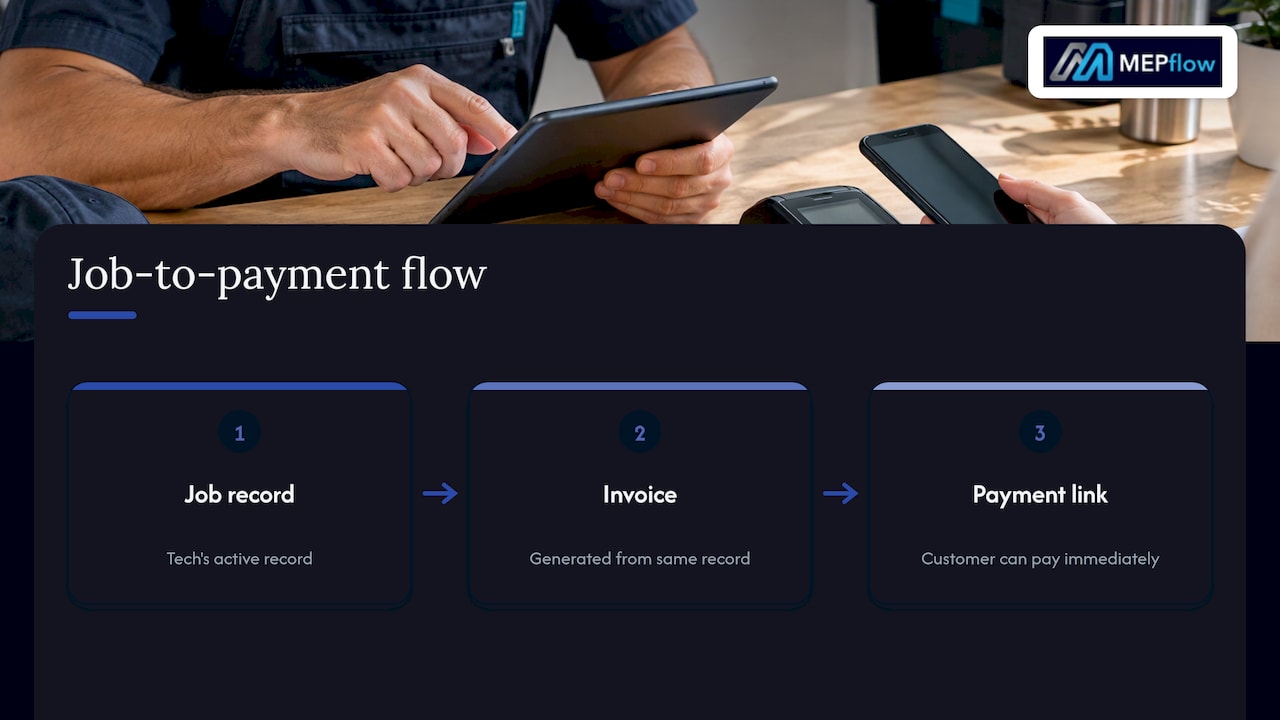
HVAC techs who invoice from the truck tell the same story: the job is done, the customer is standing there, and the invoice waits until evening because the app is slow or the pricing is not on the phone. Look for an invoice generated from the job itself, with a payment link the customer can use immediately. MEPflow produces invoices with instant payment links from the same job record the tech has been working in, so nothing is retyped at the office.
Job costing in real time
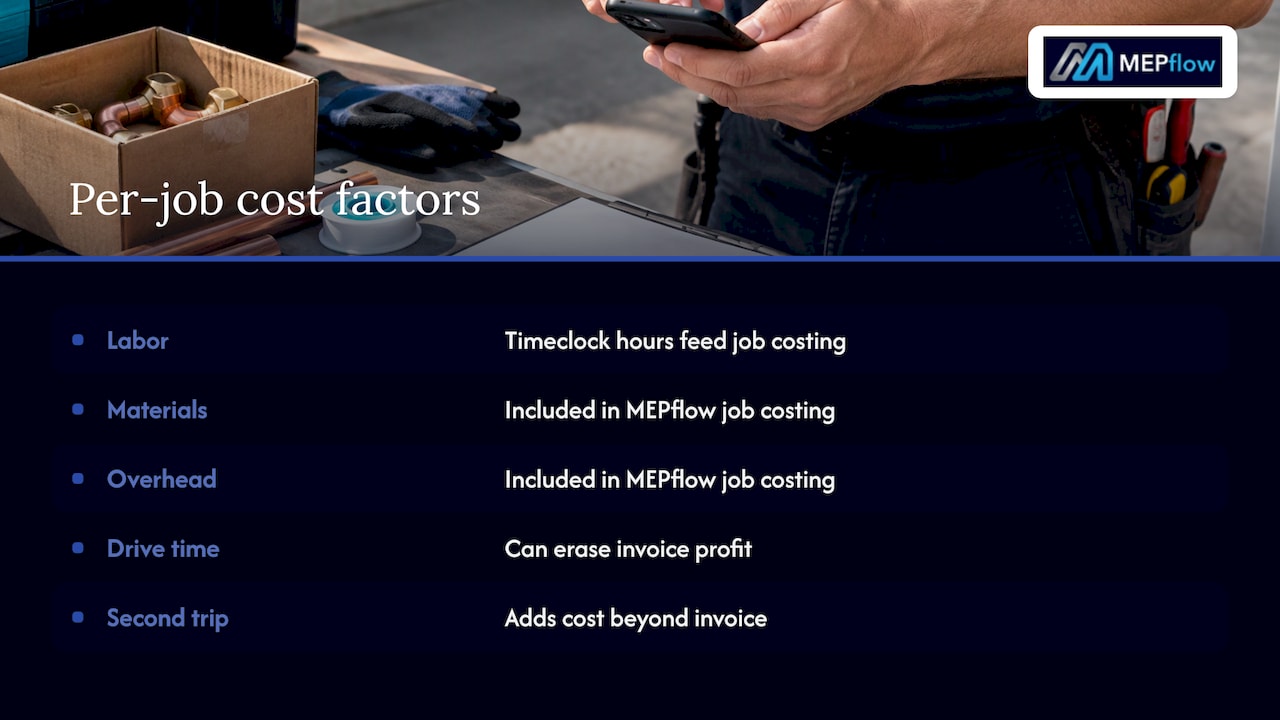
Job costing is where small shops lose money quietly. A job that looks profitable on the invoice can lose money once drive time, a second trip for a part and overhead are counted. Ask whether labor, materials and overhead are tracked per job as the work happens. In MEPflow, job costing covers labor, materials and overhead, and timeclock hours feed it. Our guide to simple job costing for plumbers walks through how that looks on a real service call.
Offline behavior
Signal drops exactly where plumbers and electricians work. Ask what happens to photos, materials and job status when the phone has no bars. MEPflow is mobile-first and works offline: photos, materials and job status sync when signal returns, while the desktop office side runs on the same data. We wrote up how to evaluate this in mobile field service software for 2 to 30 truck shops.
Trade tools
Generic field-service apps treat a water heater swap and a panel upgrade as the same thing. A per-trade pricebook and trade calculators the tech reaches from the job they are standing on save a lookup, a phone call and a guess. MEPflow includes both, plus code lookups.
Feature gating and user pricing
Many tools in this category split features across tiers, so the capability you need at ten trucks is not the one you were shown at three. Reviewers on Capterra point to flat, unlimited-user pricing as the most consistent reason shops pick Service Fusion, which tells you how much per-user cost drives these decisions. MEPflow takes a different route: every feature is on every plan and plans differ only by crew size, never by capability.
Moving your data
Switching is mostly a data problem. Customers, service history and open jobs have to arrive intact or the first month is spent retyping. We import your existing customer and job data for you, whether it lives in ServiceM8, Housecall Pro, ServiceTitan, Jobber or a spreadsheet and a whiteboard.
The main ServiceM8 alternatives, side by side
The table groups the options by what they are built for. For prices on any competitor, read the provider’s own current pricing page, because they change often and several are quote-based.
| Option | Built around | Where it fits a 2 to 30 truck trade shop |
|---|---|---|
| MEPflow | Plumbing, HVAC and electrical shops | Every feature on every plan, per-trade pricebook, trade calculators, job costing, offline, QuickBooks integration, month to month |
| Jobber | General home-service businesses | Familiar to small crews that want quoting and online payments |
| Housecall Pro | Mobile-first home-service teams | Photo-heavy field work and customer communication |
| ServiceTitan | Large, process-heavy contractors | Deep tooling with a heavier setup; see our ServiceTitan alternative guide for small shops |
| Service Fusion | Growing service companies | Flat unlimited-user pricing is the draw for reviewers |
| FieldPulse | Field service teams | Job management with a field app |
| FieldEdge | HVAC and plumbing with service agreements | Established shops with recurring maintenance |
| Workiz | Small service businesses | Call handling and job management |
The general tools are good at the general job. The question for a plumber, HVAC contractor or electrician is whether the product starts from your trade. MEPflow does, which is why it leads this list.
If you are moving from Jobber or Housecall Pro
Shops in this position usually have the basics working and want more in the trade-specific layer: a pricebook per trade, calculators on the job, and costing that goes beyond the invoice total. Because every MEPflow feature is on every plan, you do not climb a tier ladder to get them.
If you are moving from ServiceTitan
Shops that find the larger platform heavier than they need often want the same core (dispatch, estimates, invoicing, job costing, reporting) without a long implementation. MEPflow is built for 2 to 30 trucks, month to month, with no setup fee.
If you are running on spreadsheets and a whiteboard
You are not behind. You are one step from having schedule, estimates, invoices and job costs in one place. Our import means your customer list does not have to be retyped, and the phone in the truck replaces the whiteboard.
Features to line up, trade by trade
Plumbing
Plumbers want estimates that show options on the spot, a pricebook with their own flat-rate lines, and costing that catches the second trip for a part. See field service software for small plumbing businesses for the full checklist.
HVAC
HVAC techs need invoicing that works in the field and a phone-first workflow. Our mobile-first software guide for HVAC techs covers what to test on a ride-along.
Electrical
Electricians want to know the real cost of a job while it is running, and to send an invoice before the van leaves the driveway. See field service software for electricians and the roundup of mobile invoicing apps for electricians.
Estimates and scheduling
Good/Better/Best estimates with photos tend to raise the number of customers who choose a mid or top option, because they see the choice instead of one price. We cover the workflow in mobile estimating tools for field techs. On the scheduling side, a live schedule with customer texting and arrival notifications cuts the “where is my tech” calls. Once several trades share a site, it also helps to coordinate trades on schedule so one crew is not waiting on another.
A short decision path
- List the three things that cost you the most time or money today: late invoices, unknown job costs, or schedule chaos.
- Write down your truck count for the next 12 months, not just today.
- Check whether each tool gates those three things behind a higher tier or a per-user charge.
- Ask how your existing customers and jobs get in, and who does the work.
- Confirm month-to-month terms and setup fees on the vendor’s own page.
A tool that passes all five for a shop your size is worth a close look. MEPflow passes them by design: all features on all plans, crew-size pricing only, no contract, no setup fee, and a data import done for you.
Looking at MEPflow
MEPflow covers scheduling and dispatch, Good/Better/Best estimates, invoicing with instant payment links, job costing, customer texting, timeclock and payroll, a per-trade pricebook, trade calculators, live fleet and equipment tracking, QuickBooks integration and KPI reporting. It is built for owners and office managers of 2 to 30 truck plumbing, HVAC and electrical shops.
You can start by creating a company account. Free signup is capped at 5 customers and does not include the trade tools. If you want the full product first, the 14-day trial is booked by calling 866-808-4996. Pricing by crew size is at mepflow.app pricing.
Create your company account
If you are weighing the cost side first, the field service software pricing guide compares how the category charges.
Our view on switching
We built MEPflow because the software we tried treated a plumbing call, an HVAC repair and an electrical service the same way. Three of us work in the trades: a master plumber, a master electrician and an HVAC technician. We run MEPflow on our own trucks before anyone else sees it.
What we care about is simple. The tech should be able to build an estimate, pull a code reference or run a calculation from the job they are standing on, and the owner should see what the job cost without chasing paper. That is why every feature is on every plan. A five-truck shop and a twenty-five-truck shop get the same product, and the plan only reflects how many people use it.
If you are leaving ServiceM8, take the time to line up your own criteria first. Then pick the tool that matches your trade, your crew size and the way your techs actually work. We think that is MEPflow, and we will move your customer and job data across so you start with your real business in it.
Jonathan
FAQ
Is there a free version of ServiceM8, and is there a free alternative?
ServiceM8 has offered a free entry level with limits, so check its own pricing page for the current terms. MEPflow has a free signup capped at 5 customers with no trade tools. For the full product, call 866-808-4996 to book the 14-day trial.
Is MEPflow built for plumbing, HVAC and electrical, or for any service business?
MEPflow is built for plumbing, HVAC and electrical contractors. It includes a per-trade pricebook and trade calculators and code lookups the tech reaches from the job. It serves owners and office managers of 2 to 30 truck shops.
Can I keep my existing customer and job data when I switch?
Yes. We import your existing customer and job data for you, so you do not retype your list. That applies whether it comes from another field-service app or from spreadsheets.
Does MEPflow lock features behind higher plans?
No. Every feature is included on every plan, and plans differ only by crew size. It is billed month to month with no contract and no setup fee. See the pricing section for details.
Sources
- Capterra: 7 Best Field Service Management Software for Small Business
- Quality Hardwoods of Michigan: How to Coordinate Flooring Trades on Schedule
Recommended
Where to next
- See what MEPflow doesScheduling, estimates, dispatch, invoicing and job costing in one app.
- Create your company accountSet your shop up in a few minutes. No card to start.
- Plumbing Field Service Software: How the Options CompareMore from the MEPflow blog
- Best Service Dispatch Software for Plumbing, HVAC and Electrical ShopsMore from the MEPflow blog