Field Service Software for Small Plumbing Businesses
Field service software for small plumbing businesses streamlines scheduling, dispatching, invoicing, and job costing.
Table of Contents
- Why Field Service Software Matters for Small Plumbing Shops
- Core Features That Drive Plumbing Business Efficiency
- Plumbing Invoicing and Estimate Templates That Close Jobs
- How to Transition to Digital Plumbing Dispatching
- Plumbing Business Management Software Pricing and ROI
- Choosing the Right Field Service Software for Your Shop Size
- Common Mistakes When Switching to Field Service Software
- Frequently Asked Questions
Last Updated: October 9, 2026
Why Field Service Software Matters for Small Plumbing Shops
Running three to ten trucks means juggling scheduling, invoicing, customer communication, and job tracking across disconnected tools. Field service software for small plumbing businesses consolidates these into one mobile-first platform.
The real problem isn't a lack of tools, most were built for corporate service chains, not contractors who need to estimate, invoice, and close jobs from the truck.
MEPflow was built by a master plumber, a master electrician, and an HVAC technician to empower plumbing, HVAC, and electrical professionals to run their entire business from the truck.
Core Features That Drive Plumbing Business Efficiency
The best field service software for small plumbing businesses combines three capabilities: mobile accessibility, real-time visibility, and integrated workflows. Without all three, you're still managing multiple systems.
Mobile-first design and real-time tracking
Your team lives in the field, so software that requires a laptop or office visit won't stick. Mobile-first design means the app is built for phones first, not adapted from desktop.
Real-time tracking shows where every truck is, what job they're on, and how long they've been there. When a job runs over, you adjust the schedule immediately instead of discovering conflicts at shift's end.
Work order automation and digital dispatch
Digital dispatch replaces clipboards and radio calls with automated work order assignment, suggesting the closest or most available crew based on real-time location and workload.
Automated work orders also give technicians the full job history, customer notes, and previous issues before they arrive.
Customer communication and service history
Customers expect updates. Automatic notifications when the technician is 15 minutes away, arrives, and completes the job reduce callback anxiety and boost professionalism.
Service history documents every interaction, previous repairs, parts, pricing, and notes, building trust and surfacing upsell opportunities like preventative maintenance.
Plumbing Invoicing and Estimate Templates That Close Jobs
Most shops create estimates in the office and wait days for approval, by then the customer has called three other plumbers. Estimate templates built into field service software let your technician present estimates on the spot and collect payment before leaving.
Invoicing before you leave the job site changes cash flow: instead of waiting 30 days, money hits your account within hours, the difference between smooth operations and constant cash crunches.
Plumbing invoicing and estimate templates should include labor rates, material costs, and standard line items for common repairs (water heater replacement, drain cleaning, fixture installation), with totals calculated automatically.
How to Transition to Digital Plumbing Dispatching
Most guides tell you what features to buy and stop there. The switch itself, the timeline, the data, the hardware, is where small shops either succeed or quietly revert to the clipboard.
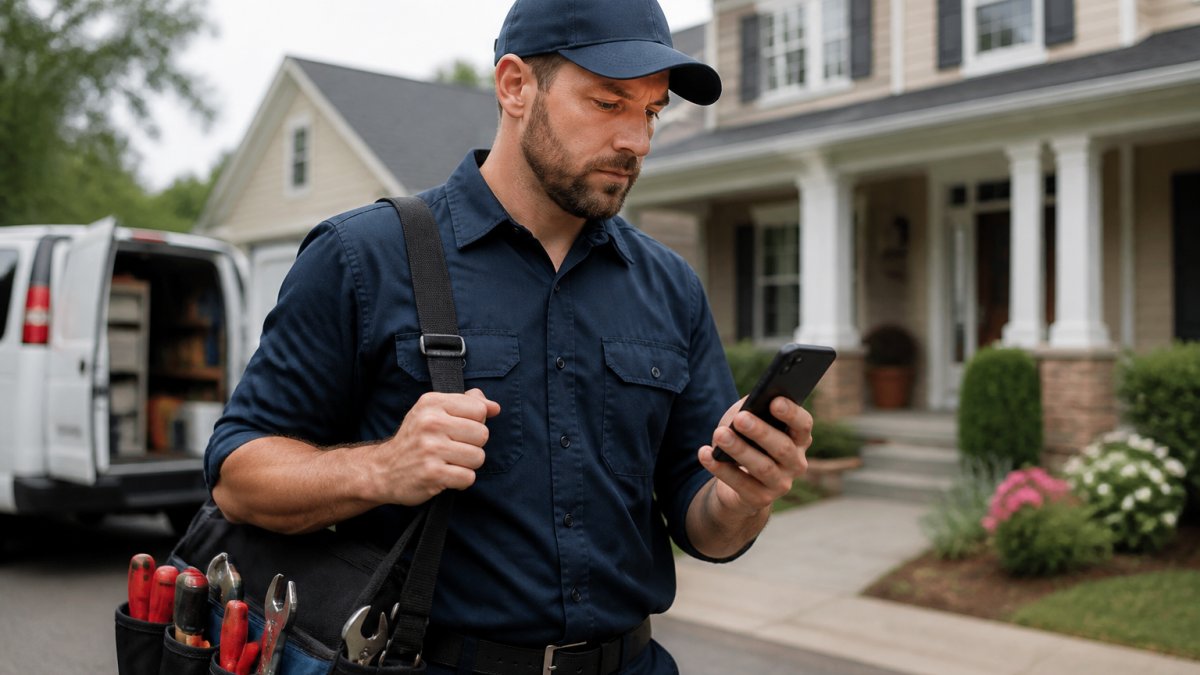
Here is a realistic sequence, with the timeline most shops actually experience.
A realistic implementation timeline
Week 1: Audit and clean your data. Pull together your customer list, job history, pricing sheets, and service notes, exporting what you can from your current system.
Week 4: Fix, then expand. Address the pilot feedback, then roll out to the rest of the crew. Expect a week of slower operations, normal and temporary.
Weeks 5-8: Stabilize. By the second month, most crews are faster than they were on paper.
Planning your data migration from legacy systems
Data migration is the biggest source of anxiety for small plumbing shops: your customer history is your business.
Decide what actually needs to move, you don't need every record from the last fifteen years. Most shops migrate:
- Active customers (anyone who has called in the last 24 months)
- Open jobs and unpaid invoices
- Service history for active customers, so techs see prior repairs on arrival
Older, inactive records can be exported to a spreadsheet and archived rather than imported, cutting migration time and reducing duplicates.
Before importing, clean the data: standardize phone numbers, fix typos, fill in missing addresses. Import garbage and your techs will lose trust within a week.
Hardware requirements for field techs
Your software is only as good as the device your tech can use with dirty hands in a crawlspace.
Smartphone vs. tablet. A smartphone handles most plumbing work: viewing the job, photos, signatures, and payment.
What to look for in a device:
- Rugged case and screen protector. A cracked screen on a $900 phone is a $900 mistake. Cases are cheap insurance.
- Decent battery life. A tech running GPS, photos, and the app all day will drain a phone faster than normal use (Checking your browser). A portable battery pack in the van solves this for a few dollars.
- Reliable carrier coverage in your service area. If you work rural routes, verify coverage before standardizing on one carrier.
You don't need new devices for every tech, most smartphones from the last three to four years run field service apps fine.
Getting your team to actually use the software
This is where most rollouts fail: buy the best platform available and, if your crew doesn't use it, you've wasted money and time.
Roll out to one or two trusted technicians first, let them use it for a week, and fix what's confusing before deploying to the whole team.
Show your crew exactly how the software saves them time.
Plumbing Business Management Software Pricing and ROI
Pricing for field service software for small plumbing businesses follows one of four models, and knowing which one a vendor uses tells you more about long-term cost than the sticker price.
- Per user, per month. You pay for each dispatcher, admin, and technician seat, the most common model for three-to-ten-truck shops because it scales as you hire.
- Per truck, per month. Each service vehicle is a billable unit regardless of crew size. Cheaper for two-person crews, pricier for solo techs.
- Tiered feature packages. A base tier covers scheduling and invoicing; higher tiers unlock inventory, reporting, and integrations. The trap is paying for a top tier to get one feature.
The cost drivers that actually move your bill
Normalize quotes against these five variables to compare apples to apples:
- Number of active users. A five-tech shop on a $49-per-user plan pays roughly $245 per month; the same shop on a $99-per-truck plan pays $495. Same headcount, double the cost.
- Payment processing fees. If you process $30,000 per month in card payments, a fraction of a percent difference in the rate can exceed the entire software subscription.
- SMS and customer notification volume. Automated 'tech is on the way' texts are usually metered, and a shop sending 40 a day burns through a low cap fast.
- Accounting integration tier. QuickBooks and similar integrations are sometimes gated behind a higher plan, confirm which tier includes it.
- Onboarding and data migration fees. Some vendors charge a one-time setup fee; others include it. Ask explicitly.
A simple ROI framework you can run in ten minutes
You don't need a spreadsheet model. Use this formula:
Monthly savings = (admin hours saved × loaded hourly rate) + (faster collection days × average daily revenue) + (callbacks avoided × average callback cost) − software cost
How each term works in practice:
- Admin hours saved. If your office manager spends two hours each morning coordinating dispatch and the software cuts that to 30 minutes, you recover roughly 32 hours per month. Multiply by a loaded hourly rate including payroll taxes and benefits.
- Faster collection days. If your average invoice is $450 and you currently wait 25 days, same-day payment at the job site pulls cash forward by roughly three weeks, a meaningful working-capital swing on 100 invoices a month.
- Callbacks avoided. Every missed job, double-booking, or 'where is my tech' call costs dispatcher time and customer patience. Avoiding two callbacks a month usually covers a small shop's subscription.
Run the numbers conservatively. If savings stay positive at your lowest estimate, the software pays for itself; if it only works at your most optimistic estimate, keep shopping.
What to ask before you sign
- What is the total monthly cost at my current headcount and truck count, including processing fees and notification overages?
- Is data migration included, or a paid service?
- What happens to my price if I add two trucks next year?
Those five questions surface almost every hidden cost before it hits an invoice.
Choosing the Right Field Service Software for Your Shop Size
Not all field service software for small plumbing businesses scales the same way. A platform built for solo operators may choke at your fourth truck; one built for large franchises may be overkill for a three-truck shop.
Scalability as you grow from 3 trucks to 10+
The best platform handles three trucks as easily as ten. Look for systems that charge per user or per truck, not per feature, so costs scale as you add crews.
Consider whether the platform was designed for growth. If the interface gets cluttered as you add jobs, crews, and customers, you'll outgrow it, it should stay intuitive at 5 jobs a day or 50.
Integration with existing tools and workflows
Most plumbing shops already use accounting software, CRM tools, or payment processors. Your new field service software should integrate with these, not replace them.
Integration means data flows automatically: a completed field job feeds into accounting as an invoice, and a new CRM customer appears in dispatch. Less manual entry means fewer errors.
| Feature | Why It Matters | Red Flag |
|---|---|---|
| Mobile-first design | Technicians work in the field, not the office | Desktop-only or clunky mobile version |
| Real-time tracking | See where crews are and adjust schedule instantly | Updates lag by hours or require manual refresh |
| Automated invoicing | Get paid faster, reduce admin time | Invoicing only available in office |
| Service history | Know what you've done for each customer | No searchable job records |
| Integration | Data flows between your existing tools | Manual data entry between systems |
| Scalability | Grows from 3 trucks to 10+ without breaking | Performance degrades as you add crews |
Common Mistakes When Switching to Field Service Software
Most plumbing shops make the same errors adopting new software.
The first mistake is choosing features you think you'll need instead of ones you'll actually use.
The second mistake is underestimating training time.
The third mistake is poor data setup.
The fourth mistake is ignoring crew feedback.
Switching to field service software for small plumbing businesses is an operational decision, not a technology one.
Frequently Asked Questions
What features should a small plumbing business look for in field service software?
Prioritize mobile-first design so technicians can view work orders, create estimates, and invoice from the truck. Look for automated scheduling and dispatching to reduce office manager overhead, real-time tracking to improve response times, and integrated invoicing and payment processing. Job costing and service history tracking help you understand profitability per job. Customer texting and digital estimates improve communication and close rates. The software should handle preventative maintenance scheduling and inventory tracking if you manage parts on-site.
How much does field service software cost per month for a small plumbing shop?
Pricing depends on the number of technicians, features included, and whether you need advanced job costing or integration capabilities. Most platforms offer tiered pricing starting with basic plans for small teams and scaling up. Many providers offer free trials or freemium plans to test the software before committing. Visit the provider's pricing page directly for current rates and to understand what's included in each tier, as pricing structures vary significantly between platforms.
Can field service software actually reduce the time spent on scheduling and dispatching?
Yes, when implemented correctly. Automated work order assignment, route optimization, and real-time crew updates eliminate manual rescheduling. Office managers typically spend 1-2 hours daily rescheduling jobs due to late arrivals or overruns. Digital dispatch systems reduce this significantly by allowing technicians to confirm arrival, update job duration, and notify the office automatically. The key is getting your team to use it consistently, resistance to change is the biggest obstacle, not the software itself.
Is it worth switching from a generic CRM to plumbing-specific field service software?
Plumbing-specific software is built around your workflow: creating estimates on-site, invoicing before leaving the job, managing multiple crew schedules, and tracking job profitability. Generic CRM tools require workarounds for these core trade functions and lack mobile-first design for field use. If your current system requires office staff to enter data after technicians return, you're losing efficiency. Plumbing-specific platforms consolidate scheduling, estimates, invoicing, and job costing in one app designed for how you actually work.
Where to next
- See what MEPflow doesScheduling, estimates, dispatch, invoicing and job costing in one app.
- Create your company accountSet your shop up in a few minutes. No card to start.
- Plumbing Field Service Software: How the Options CompareMore from the MEPflow blog
- Best Service Dispatch Software for Plumbing, HVAC and Electrical ShopsMore from the MEPflow blog