Best Electrical Contractor Software for Small Shops in 2026
Compare the best electrical contractor software for 2 to 30 truck shops: scheduling, estimates, job costing, QuickBooks and offline use, and how to choose.

Best Electrical Contractor Software for Small Shops in 2026

The best electrical contractor software for a 2 to 30 truck shop is the one that runs your whole day in one place: dispatch, estimates, invoices, job costs and customer texts, on a phone that still works when the signal drops. We built MEPflow for exactly that shop, so it is our pick. But the right answer depends on what kind of electrical work you do, so this guide compares the names you will actually run into and tells you how to choose between them.
TL;DR
- Match the tool to your kind of work first: service and repair shops need dispatch, a mobile app and fast invoicing, while bid-heavy commercial shops lean on estimating and project tools.
- For owners and office managers of 2 to 30 truck plumbing, HVAC and electrical shops, MEPflow puts scheduling, Good/Better/Best estimates, invoicing, job costing, texting, timeclock and trade calculators in one app.
- Every MEPflow feature is on every plan. Plans differ only by how many people are on them.
- Ask hard questions about QuickBooks sync and offline work before you sign anything.
- Run a real pilot with real jobs before you commit your crew.
Table of Contents
- What the software has to do for an electrical shop
- The main options compared
- Where MEPflow fits
- How to choose: seven questions to ask any vendor
- Matching the tool to your size
- Switching from Housecall Pro, ServiceTitan, Jobber or a spreadsheet
- Our perspective
- Try MEPflow with your own crew
- FAQ
- Sources
What the software has to do for an electrical shop
Start with the work, not the brand. A small electrical company loses money in a few predictable places: jobs that get double-booked, estimates retyped into invoices, materials that never get billed, and a tech who finishes at 4:30 and does not get paid for until the office finds the paperwork.
A field service buyer’s guide says small crews should put four things first: a live schedule board, drag-and-drop reassignment, a mobile technician app and automatic invoicing. It adds that route optimization, capacity limits and reporting matter more as the truck count grows. That matches what we see in shops with a handful of vans.
Here is the checklist we use when we talk to owners:
- Scheduling and dispatch. One board the office and the techs both trust, where a callback can be rerouted in seconds.
- Estimates with options. Labor and material line items, photos, and a way to offer the customer a choice, then convert the approved one to a job.
- Invoicing and payment. Invoice from the truck and let the customer pay by link, so cash does not wait on a paper trip to the office.
- Job costing. Labor, materials and overhead per job, so you know which work pays.
- Mobile app that works offline. Basements, crawl spaces and new construction shells have bad signal.
- Customer communication. Texting and arrival notices cut the “where is my electrician” calls.
- Accounting sync. Invoices, payments and costs moving to QuickBooks without double entry.
One more thing to settle early: whether you are buying for a trade contractor or for a facility team that hires contractors. A 2026 review from a facilities software company notes that electrical software splits between tools for electricians and tools for facilities teams managing vendors across sites, and most tools do one, not both. Everything below is about the first group: the contractor.
The main options compared
Roundups of this category tend to list the same group of products. A 2026 roundup from SoftwareConnect covers Housecall Pro for field service management with scheduling and customer tools, Jobber for scheduling, ServiceTitan for technician tracking, Electrical Bid Manager for estimating, Service Fusion as a QuickBooks-focused option, Procore for commercial electricians, FieldPulse for dispatching, BuildOps for quotes and proposals, Connecteam for employee management, ThermoGrid for residential electricians and Knowify for job costing.
That is a mix of very different tools. Here is how we would sort them for a small shop. The right column is what each is known for in that roundup, and for MEPflow it is what we build.
| Option | Known for | Best fit |
|---|---|---|
| MEPflow | Office and field in one app: dispatch, Good/Better/Best estimates, invoicing, job costing, texting, timeclock and payroll, per-trade pricebook, trade calculators, offline use | Owners and office managers of 2 to 30 truck plumbing, HVAC and electrical shops |
| Housecall Pro | Field service management with scheduling and customer tools | Service shops that want a familiar all-around app |
| Jobber | Scheduling | Smaller crews focused on the calendar |
| ServiceTitan | Technician tracking | Larger operations with dedicated office staff |
| FieldPulse | Dispatching | Shops whose main pain is dispatch |
| Service Fusion | QuickBooks-focused workflow | Shops built around their bookkeeper’s setup |
| Electrical Bid Manager | Estimating | Bid-driven electrical work |
| Knowify | Job costing | Project-based contractors |
| BuildOps | Quotes and proposals | Commercial service contractors |
| Procore | Commercial electrical projects | Commercial project teams |
Pricing for these products changes with tiers and user counts, so check each provider’s own page for the current figure. For MEPflow, see the pricing section on our home page.
Service and repair tools versus bid and project tools
The table hides the most important split. Dispatch-first tools such as Housecall Pro, Jobber, FieldPulse and ServiceTitan are built around the service call: someone phones, you send a tech, you invoice. Estimating-first tools such as TurboBid and Electrical Bid Manager are built around the bid. The Facilio review describes these as specializing in code-based estimating with pre-loaded NEC labor units. Project and accounting tools such as BuildOps and Knowify sit on the other side, tracking costs against a larger job.

If 80 percent of your revenue is service calls, panel upgrades, remodels and small tenant work, you want the first group. If you spend your week building takeoffs for GC bids, an estimating tool will matter more, and you may run it beside your field service app.
The trouble for a small shop is that service-first tools often leave job costing thin, and project tools often feel heavy on a phone in a crawl space. That gap is why we built MEPflow the way we did.
Where MEPflow fits
MEPflow is field service software for plumbing, HVAC and electrical contractors in the United States. It was built by three tradespeople, a master plumber, a master electrician and an HVAC technician, in Rogers, Arkansas, and they run it on their own trucks before anyone else sees it. That shapes the product more than any feature list.
What that looks like for an electrical shop:
- Mobile-first, with a full desktop office side. The tech works from the phone. The office runs the same data on a desktop, so nobody asks “which version is current?”
- Works offline. Photos, materials and job status sync when signal returns. Our guide on testing mobile field service software offline shows how to check this yourself before you commit.
- Good/Better/Best estimates with photos. Offer the customer options on the spot, then carry the approved one forward. Our walkthrough of the estimate to invoice workflow covers how nothing gets retyped.
- Invoicing with instant payment links. More on that in our piece on invoice payment links for contractors.
- Job costing for labor, materials and overhead. You see the real margin per job, not a guess at month end.
- Customer texting and arrival notifications, plus live fleet and equipment tracking.
- Trade calculators and code lookups, one swipe from the job the tech is standing on, and a per-trade pricebook.
- Timeclock and payroll, KPI and reporting tools, and QuickBooks integration.
Two points matter for the buying decision. First, every feature is on every plan. Plans differ only by crew size, never by capability, so you do not climb a ladder of tiers to unlock job costing. Second, it is month to month with no contract and no setup fee, and we import your existing customer and job data for you.
MEPflow is not for IT teams, DevOps or facilities management. It is for the owner and the office manager of a trade shop.
How to choose: seven questions to ask any vendor
1. Does it run on your trucks, not just in a demo?
A sales demo is a controlled environment. An electrical software buyer’s guide recommends prioritizing mobile field workflows, tight scheduling and dispatch, fast estimating and invoicing, and true two-way QuickBooks sync, in that order. It also recommends a two to three week pilot loaded with real jobs, handed to your most skeptical technician. We agree with the spirit of that, and it is why we offer a 14-day trial, which you book by calling 866-808-4996.
2. What does “integrates with QuickBooks” actually mean?
Do not take the phrase as the whole answer. A comparison by use case advises asking which QuickBooks product is supported, which plan includes it, and whether customers, invoices, payments, items, classes, jobs, taxes, deposits and refunds move the way your bookkeeper expects. Sit your bookkeeper down for the answer. Our post on QuickBooks Online versus Desktop for trade shops explains what to settle before you connect anything.
3. What happens with no signal?
Electricians work in panel rooms, attics, parking structures and rural properties. Ask what a tech can still do offline: view the job, add photos, log materials, change status. Then ask what happens when two people edit the same job. Do this test physically: put the phone in airplane mode, finish a job, then turn signal back on and watch what syncs.
4. Can the tech reach the numbers they need from the job?
Wire sizing, voltage drop and box fill questions come up mid-job. Calculators and code lookups inside the app save a trip back to the truck or a Google search. In MEPflow they are one swipe from the job.
5. Are the features you need locked behind a higher tier?
Tiering is where a low headline number can turn into a larger bill. A 2026 pricing guide points to tier upgrades and per-user limits in plans like Jobber and Housecall Pro as the main drivers of total cost, more than the entry price. Ask every vendor to list exactly which plan includes job costing, payments, texting and reporting. With MEPflow the answer is the same on every plan: all of it.
6. What will it take to move your data?
Most owners stay on a spreadsheet and a whiteboard because moving feels like a month of retyping. Ask who does the import. We import your customer and job data for you, so you are not rebuilding your book at midnight.
7. Can you leave?
A contract is a bet that you will like the software for a year. Month to month removes the bet.
Matching the tool to your size
Software that suits a two-van shop can choke a 25-truck operation, and the reverse is also true. The same buyer’s guide advises matching software complexity to the business stage. Rough guide:
- 2 to 5 trucks. You need a clear schedule board, estimates that turn into invoices, and payment links. Job costing matters earlier than most owners expect, because one mispriced panel job can erase a week of margin.
- 6 to 15 trucks. Dispatch becomes a full-time job for someone. You need timeclock and payroll that agree with job hours, and reporting you can read in five minutes.
- 16 to 30 trucks. Capacity, fleet visibility and KPIs matter. You also need a pricebook that stays consistent so your techs quote the same job the same way.
Growing past a few trucks also brings hiring, wage and compliance questions. If that is where you are headed, this overview of workforce compliance tools for contractors is worth a look next to your software shortlist. For dispatch habits that carry over from HVAC to electrical, see our dispatching tips for small shops.
Switching from Housecall Pro, ServiceTitan, Jobber or a spreadsheet
Many of the owners we talk to are not buying software for the first time. They are tired of the one they have, or they are still on a spreadsheet and a whiteboard. A few practical rules:
- Export before you cancel. Get your customer list, open jobs and price list out of the old system first.
- Run the new tool on live jobs for a short stretch. Pick a slow week and put real calls through it.
- Keep safety, code and licensing decisions with your people. Software handles scheduling, paperwork and money. Permits, inspections and scope sign-offs stay with your licensed electricians and your office.
- Let your bookkeeper test the QuickBooks flow before the whole crew switches.
- Cut over on a Monday, not mid-week, and tell customers to expect new texts and payment links.
If you want us to handle the import, that is part of how we work. See the full MEPflow overview for how onboarding goes.
Our perspective
Most software for electrical contractors was built by people who have never pulled a wire. You can feel it in the app. The estimate screen is built for the office, the technician screen is an afterthought, and the pricing page makes you guess which tier holds the feature you need.
We came at it the other way. A master plumber, a master electrician and an HVAC tech sat down and asked what actually slows a small shop: retyping an estimate into an invoice, a tech with no signal in a basement, a job that finishes with nobody knowing the real margin. So the phone comes first, the office desktop runs the same data, and the app works offline.
We also think capability should not depend on how much you can spend. Every feature is on every plan, and plans differ only by crew size. A three-truck shop should get job costing and trade calculators too, because that is where a small shop wins or loses.
Our advice: pick the tool that your most skeptical technician will actually open at 7 a.m., and make the office prove it works on real jobs. That is the bar we hold ourselves to, on our own trucks first.
Jonathan
Try MEPflow with your own crew
If you run a 2 to 30 truck plumbing, HVAC or electrical shop, MEPflow gives you scheduling, Good/Better/Best estimates, invoicing, job costing, texting, timeclock and trade calculators in one app, month to month. For plan details, see pricing. To put it through real jobs first, call 866-808-4996 to book the 14-day trial.
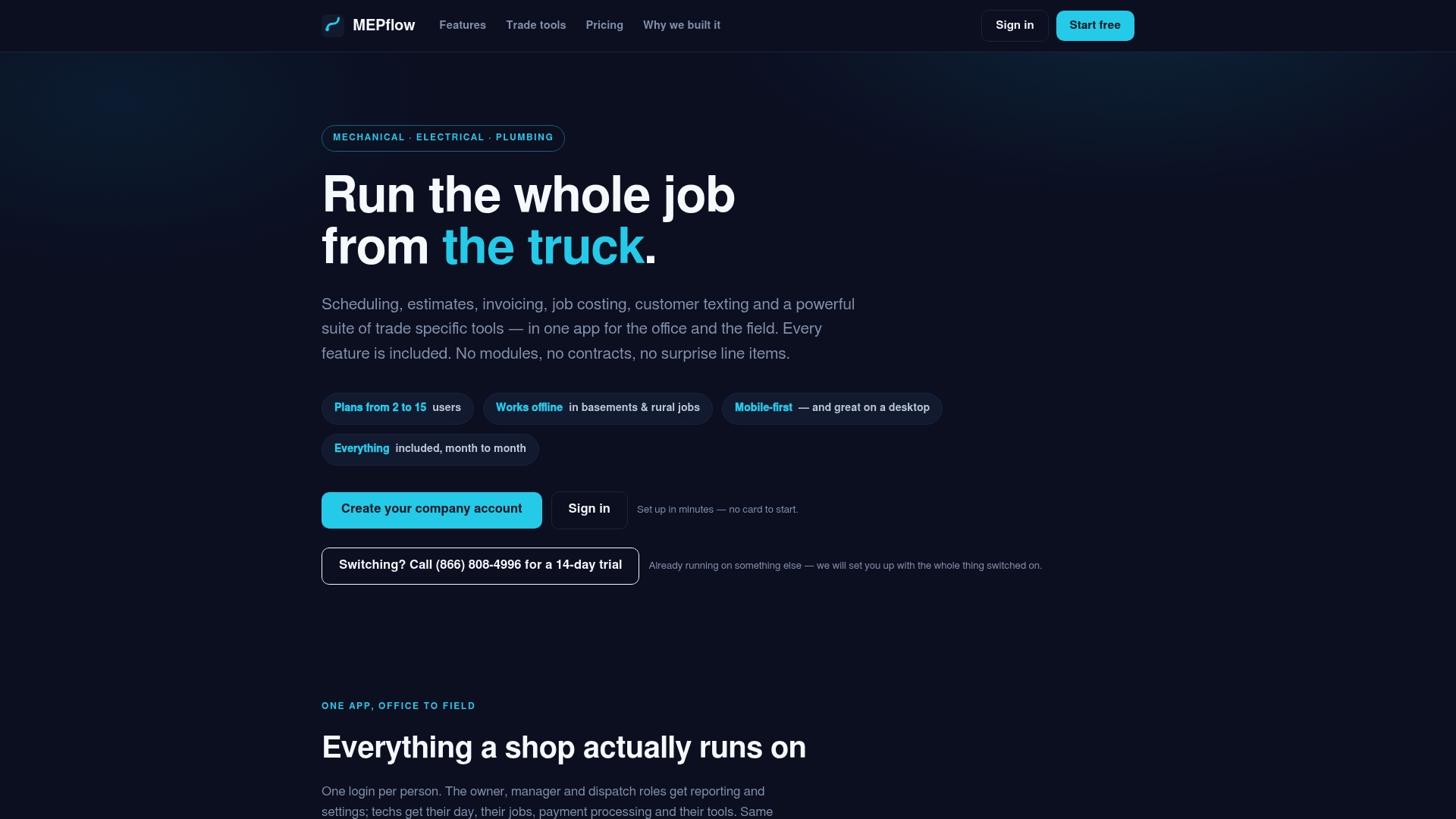
Ready to start? Create your company account. You can also read how we approach contractor estimating that works offline or the electrician-specific guide.
FAQ
What is the best software for electricians who run a small shop?
For a shop of 2 to 30 trucks doing service, repair and remodel work, choose an all-in-one field service app with dispatch, estimates, invoicing, job costing and offline mobile use. MEPflow is built for that shop, with every feature on every plan. Bid-driven commercial work may call for an estimating tool alongside it.
Do I need separate software for estimating and for dispatch?
Usually not for service work. A single tool that carries an estimate through to the job and the invoice saves retyping and keeps the margin visible. Large takeoff-based bids are the exception, where an estimating-first product can sit beside your field service app.
Does electrician software work without cell signal?
It depends on the product, so ask exactly which actions work offline. MEPflow works offline: photos, materials and job status sync when signal returns. Our guide on testing mobile field service software offline shows how to confirm this before you commit.
How should I evaluate software before switching?
Run it on real jobs with real techs for a couple of weeks, and have your bookkeeper check the QuickBooks flow. We offer a 14-day trial for MEPflow, booked by calling 866-808-4996. Month to month billing means you are never locked in.
Sources
- SoftwareConnect: 11 Best Electrical Contractor Software on the Market (2026)
- Facilio: Best Electrical Contractor Software in 2026
- Field Service Stack: Field Service Dispatch Software Buyer’s Guide 2026
- Ample Express: Choose Electrical Software With a 2 to 3 Week Pilot
- Contractor Software Hub: Best Electrical Contractor Software Compared by Use Case
- Local Service Stack: Field Service Software Pricing in 2026
Recommended
Where to next
- See what MEPflow doesScheduling, estimates, dispatch, invoicing and job costing in one app.
- Create your company accountSet your shop up in a few minutes. No card to start.
- Best HVAC Dispatch Software for Small Shops in 2026More from the MEPflow blog
- Workiz Alternatives for Plumbing, HVAC and Electrical ShopsMore from the MEPflow blog