HVAC Inventory Tracking for Field Technicians Guide
Learn how hvac inventory tracking keeps truck stock, parts logs and reorder alerts in sync, so you stop stockouts and cut repeat service calls.
Quick Summary
HVAC inventory tracking is the process of recording where parts sit, what gets used on each call, and what needs reordering across trucks, warehouses and job sites. It works when technicians log parts at job closeout, each truck has a named count owner, and transfers are recorded as they happen.
- Stock typically lives in three places: warehouse, truck, and parts reserved for specific jobs.
- Technicians should record parts used before leaving the site, not later that evening.
- Count one van every Monday for four weeks to test whether the process holds.
- Choose software with offline mode, since many attics and basements have weak signal.
- Pilot the system on one truck and crew before expanding to the whole fleet.
Table of Contents
- Why HVAC Inventory Tracking Breaks Down in the Field
- Setting Up HVAC Truck Stock Management Across Vans and Warehouses
- Mobile Inventory Tracking for Technicians: Scanning, Logging and Job Closeout
- Tracking HVAC Parts and Refrigerant Controls Through Each Service Call
- HVAC Inventory Management Best Practices That Improve Accuracy
- Reorder Points, Low-Stock Alerts and Replenishment Workflows
- Getting Your Technicians to Adopt Inventory Tracking and Choosing Software
- Frequently Asked Questions
Why HVAC Inventory Tracking Breaks Down in the Field
Last Updated: November 12, 2026
The software market reflects how much this problem matters. FieldPie forecasts the HVAC service management software market will reach USD 7.03 billion by 2030 (FieldPie service management software market forecast).
Three failure points show up again and again:
- Stock lives in too many places. Parts sit on trucks, in the warehouse, and in a tech's personal bin. No single count is correct.
- Usage gets logged late or not at all. A capacitor used on a Tuesday call may not reach the system until Friday, if it reaches it at all.
- Reconciliation takes too long. Teams that count everything by hand each day spend hours on work that adds no value.
One commercial HVAC-R contractor found that a custom mobile inventory app removed its daily manual reconciliation process entirely (ACT360 commercial refrigeration case study). The lesson is not that every shop needs custom software.
Setting Up HVAC Truck Stock Management Across Vans and Warehouses
Start by deciding what each location holds and who owns it.
Set a standard truck kit for each van based on the last six months of usage, not guesswork. Capacitors, contactors, filter driers and basic fittings usually belong in every kit; expensive or rarely used parts stay in the warehouse and move on demand.
Assign each truck a count owner. That person is accountable for the kit's accuracy at the start and end of each week.
Record transfers as they happen. When parts move from warehouse to van, log the transfer in the same step; shops that record transfers only at month end lose track of where inventory sits.
A useful check: count one van every Monday for four weeks. If it matches the system most of the time, the process works; if it misses often, the problem is usually transfers or unlogged usage, not the count.
Mobile Inventory Tracking for Technicians: Scanning, Logging and Job Closeout
The job closeout is where tracking succeeds or fails. The technician should record parts used before leaving the site, not later that evening: scan or select each part, confirm the quantity, and attach it to the work order.
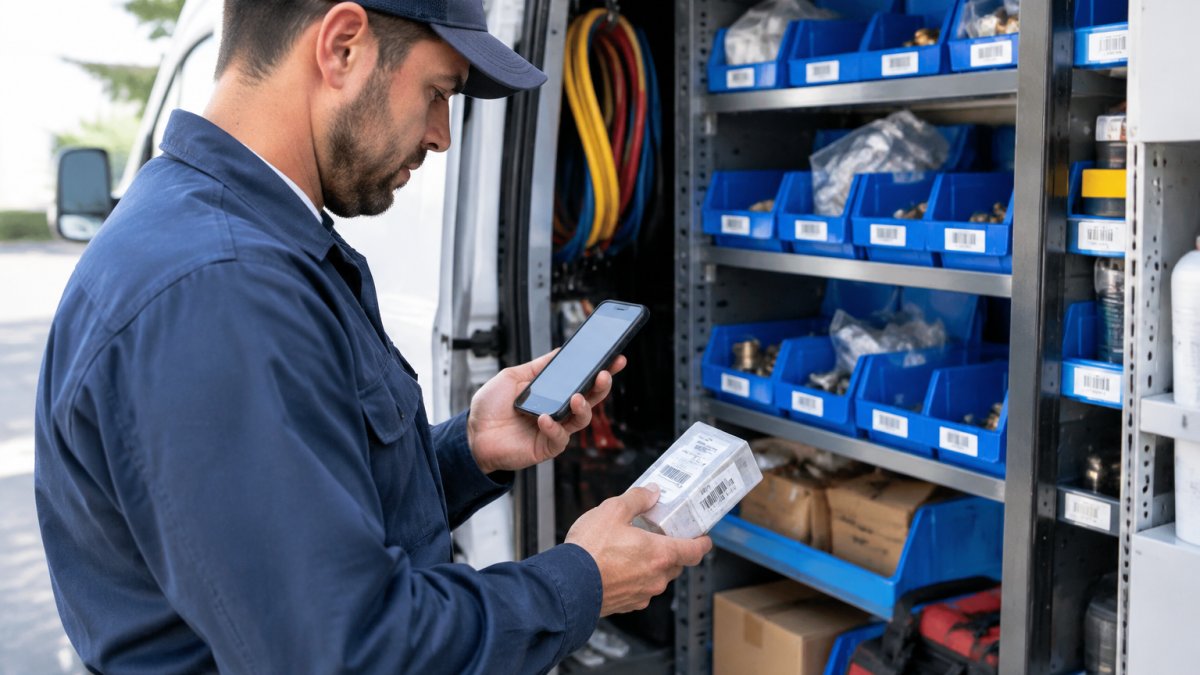
!A field technician in work clothes scanning a part barcode with a smartphone beside an open service van with parts bins
Barcode and QR scanning cut data entry time and reduce mistakes. Technicians can scan a part label with a phone camera and update stock levels from the job site.
Keep the closeout steps short, or technicians will skip them. Four steps are enough:
- Scan or select each part used on the job.
- Confirm the quantity, including any parts returned to the truck.
- Attach the parts to the work order before leaving the site.
- Flag any missing or damaged items for the count owner.
A repeatable technician workflow from truck restock to job closeout
Most software demos show a scan and stop there. A workflow that survives a busy week has defined steps and a named owner at each one. A common pattern that holds up across shops:
- Morning restock (technician, 5-10 minutes). Before the first call, the tech reconciles the truck stock list against the physical bins. Anything pulled from the warehouse the prior afternoon should already show as a transfer; if not, flag it to the warehouse lead rather than silently adding it.
- Warehouse transfer (warehouse lead). Scan out of warehouse stock and into truck stock in the same motion. Recording transfers only at month end is the most common cause of a truck count that never matches the system.
- On-site use (technician). Scan or select the part and attach it to the work order before leaving the driveway; attaching later from memory is where quantities drift.
- Job closeout (technician). Confirm quantities, note parts returned to the truck, and flag damaged or missing items. The work order is not complete until the parts line is done.
- End-of-day sync check (office). Any closeout not synced by a fixed time gets a follow-up call, the backstop that catches offline entries before they become week-old mysteries.
- Weekly count (count owner). One truck is counted each week on a rotating schedule and compared to the system. A mismatch triggers a review of transfers and unlogged usage, not a blind adjustment.
Writing the workflow down means every step has an owner. When a count drifts, you can point to the step that failed instead of blaming the software.
Offline use and poor-connectivity procedures
Many attics, crawl spaces and basements have weak or no signal. A tracking workflow that fails without a connection will be abandoned.
Set a clear rule for offline work: technicians complete the closeout on their phone on site, even without a connection, and confirm it syncs before end of day.
Offline mode creates a second problem most guides ignore: sync conflicts.
Have a fallback for the fallback.
Tracking HVAC Parts and Refrigerant Controls Through Each Service Call
HVAC work adds controls that general inventory systems often ignore. Refrigerant is the clearest example.
Serialized equipment, such as compressors and controls with warranty tracking, needs its own entry at install time. Record the serial number on the work order and link it to the customer's property.
Keep the parts list on each work order specific. "Capacitor" is not enough when a shop stocks six variants. Record the exact part number so the count reflects what was actually installed.
HVAC Inventory Management Best Practices That Improve Accuracy
Good tracking is less about software features and more about habits. Cycle counts, where a small section of inventory is counted every day, catch errors before they compound.
Use historical usage to set stock levels. If a particular filter size is used twelve times a month, keeping two on the truck is reasonable. If it is used once a quarter, it belongs in the warehouse.
Measuring inventory accuracy and operational KPIs
Accuracy is measurable. Track the percentage of cycle counts that match the system, aiming high enough that full physical counts become unnecessary.
Watch two numbers closely each month: the count of stockouts on active jobs, and the value of stock that has not moved in ninety days. The first shows whether the truck kits are right. The second shows where money is sitting idle.
Reorder Points, Low-Stock Alerts and Replenishment Workflows
Set a reorder point for each high-use part, the stock level that triggers a purchase order.
Low-stock alerts turn the reorder point into action. Send the alert to the person who places orders, not to a shared inbox that nobody watches.
Replenishment should follow a simple path: alert, purchase order, receipt, and transfer to the correct location. Record each step so the system reflects what is physically on the shelf.
Getting Your Technicians to Adopt Inventory Tracking and Choosing Software
Software alone does not solve inventory problems. Experts note that tracking tools need to be paired with operating habits such as regular cycle counts and review of historical data (inFlow Inventory guidance on inventory software). Technicians will adopt a system when it saves them time, not when it adds steps.
A rollout plan that reduces resistance
Most failed rollouts fail because the whole fleet switches at once and the first bad week poisons the well. A staged plan is easier to recover from and gives you proof before you scale:
- Pick one truck and one crew. Include at least one technician who is skeptical of new tools. If that person finds the closeout quick, the rest of the crew will likely follow.
- Run a two-week pilot with a daily debrief. Ask techs where the process slows them down and fix those points before expanding. The first week is for finding friction, not judging the software.
- Compare the pilot truck's count to the system weekly. If it matches most of the time, the process works; if it misses often, the problem is usually transfers or unlogged usage, not the count.
- Expand one crew at a time. Add a crew only after the previous one has a clean weekly count; a failed fleet-wide rollout is far harder to recover from than a stalled pilot on one van.
- Show the reports to the people who use them. Managers should see the weekly count, stockout, and slow-moving stock reports so the data has a clear purpose. Reports nobody reads convince techs the system is busywork.
Training that sticks
A single lunch-and-learn is not training. A cadence that works: a short hands-on session on the phone the tech actually carries, one supervised closeout on a real job, then a check-in at the end of the first week.
Watch out: Duplicate entry is the most common reason techs abandon tracking. If a tech has to write the part on a paper work order and then enter it again in the app, the app will lose.
What to check when comparing software
When you compare software, check these points before choosing:
| Factor | What to check |
|---|---|
| Mobile use | Works on the phone techs already carry, with scanning |
| Offline mode | Saves entries without signal, syncs later, and resolves conflicts predictably |
| Work order link | Parts flow onto the job record without re-entry |
| Reorder alerts | Triggers based on usage, with clear owners |
| Cost | Monthly price per user, and what add-ons cost |
| Migration | Can existing stock counts and history be imported |
Ask each vendor for a trial on a real truck before committing, and include one skeptical technician in the test. If that person finds the closeout quick, the rest of the crew will likely follow.
MEPflow is a mobile-first field service platform created by a master plumber, a master electrician and an HVAC technician, and it lets techs close out jobs from the truck. Teams that want to see how MEPflow fits their daily routine can start free and test it on a real job before making a change.
Tracking HVAC inventory in the field works when it fits the technician's day. Set up clear truck kits, log parts at the job site, and review accuracy each week.
Frequently Asked Questions
How do HVAC technicians track parts and supplies in the field?
Most HVAC technicians track parts by logging each item used on a service call against the job record, either at the moment they pull it from the truck or at job closeout. Mobile inventory tracking tools let them scan a barcode or QR code, record the quantity, and attach it to the work order so the office sees stock levels update in near real time. Pairing this with a fixed truck stock list and periodic cycle counts keeps the recorded numbers close to what is physically on the van.
What is the best way to manage HVAC truck inventory?
Set a standard stock list for each van based on the most frequently used parts, then restock to that list at the start or end of each day. Assign each truck a fixed location in your inventory system so transfers between vans and the warehouse are logged. Run regular cycle counts on high-value items such as capacitors, contactors and refrigerant cylinders, and reconcile differences before they become recurring stockouts.
How can HVAC contractors prevent technicians from running out of parts?
Set reorder points for each high-use part and configure low-stock alerts so the office is notified before a van runs empty. Review historical usage by service type to adjust the standard truck list for seasonal peaks, such as cooling season for capacitors and refrigerant. Logging every part used on each call also shows which vans need restocking first, reducing return trips to the warehouse.
Can field technicians update inventory from a mobile app?
Yes. Mobile inventory tools let technicians record parts usage, transfers and adjustments from a smartphone while on site. The most useful setups allow scanning by barcode or QR code and work even when connectivity is weak, syncing changes once the device reconnects. Confirm offline behavior during a trial, since a tool that fails without signal in basements or mechanical rooms will not be used consistently.

Where to next
- See what MEPflow doesScheduling, estimates, dispatch, invoicing and job costing in one app.
- Create your company accountSet your shop up in a few minutes. No card to start.
- Plumbing Field Service Software: How the Options CompareMore from the MEPflow blog
- Best Service Dispatch Software for Plumbing, HVAC and Electrical ShopsMore from the MEPflow blog