Best Tools for Trade Business Owners: What to Run Your Shop On
Compare the best tools for trade business owners running plumbing, HVAC and electrical shops: scheduling, estimating, invoicing and job costing in one app.
Last Updated: November 21, 2026
Quick Summary
The best tools for trade business owners are field service management platforms that combine scheduling, dispatch, estimating, invoicing and job costing in one system technicians can use on their phones. Choose software built for the trades, test offline performance on a real job, and trial it with one crew before committing.
- Patchwork setups of separate apps and spreadsheets create handoff errors that cost jobs and money.
- Estimate options as good, better and best so customers choose scope rather than just yes or no.
- Record materials at cost, not sell price, or job profitability will look healthier than the bank account shows.
- Get data migration terms in writing, including job history and open invoices, before signing a contract.
- Run a trial for one or two crews over a full week and measure reschedules and same-day invoicing.
Table of Contents
- The Core Tool Categories Every Plumbing, HVAC and Electrical Shop Needs
- Field Service Management Software for Small Businesses: What to Look For
- Contractor Scheduling and Dispatch Software: Ending the Morning Reschedule Scramble
- Contractor Estimating and Invoicing Software: Closing the Job Before You Leave
- Business Management Tools for Contractors: Job Costing, Data Migration and Total Cost
- Choosing Your Next Tool: Starting a Trial on Your Own Jobs
- Frequently Asked Questions
Most plumbing, HVAC and electrical shops start with a notebook, a shared calendar and invoice templates. That works at one truck.
The real question is which tools run the shop and whether they work from the truck.
Patchwork is the usual failure point: one app for scheduling, a spreadsheet for estimates, a separate accounting product for invoices.
The Core Tool Categories Every Plumbing, HVAC and Electrical Shop Needs
A trade shop needs tools in four areas: scheduling and dispatch, estimating and invoicing, job costing, and customer communication. Accounting and payroll usually sit on top, and many shops keep a separate bookkeeping product for that layer.
Scheduling tools answer the morning question: who is going where, and in what order. Estimating tools produce a quote the customer can approve on the spot. Invoicing tools turn approved work into a bill and a payment.
Customer communication ties these together: a text confirming an arrival window cuts office calls and lets technicians reach customers without handing out personal numbers.
Field Service Management Software for Small Businesses: What to Look For
Field service management software is the category that most often replaces the patchwork. It puts scheduling, dispatch, estimates, invoices and job records in one system that technicians use on their phones.
Check whether the tool was built for the trades or adapted from a general business product. You can compare ServiceTitan alternatives sized for small plumbing, HVAC and electrical shops, with their pricing models.
Mobile use on the truck and offline reliability
A technician who loses signal in a basement or crawl space needs the job details to stay on screen. You can test mobile field service software and check offline performance before choosing a pilot.
Mobile-first design matters more than a feature list. You can compare mobile apps built for plumbing technicians, including offline use and invoicing.
Scaling from three trucks to thirty
Many shops pick software for the three trucks they run today and outgrow it within a year. Check whether the tool handles more technicians, job types and dispatchers without a new contract or migration. Ask how user roles work, whether you can add crews by trade, and how pricing changes as headcount rises.
Contractor Scheduling and Dispatch Software: Ending the Morning Reschedule Scramble
Scheduling is where most shop owners lose the most time. Crews call in late, jobs run over, and the office spends the morning moving appointments by hand.
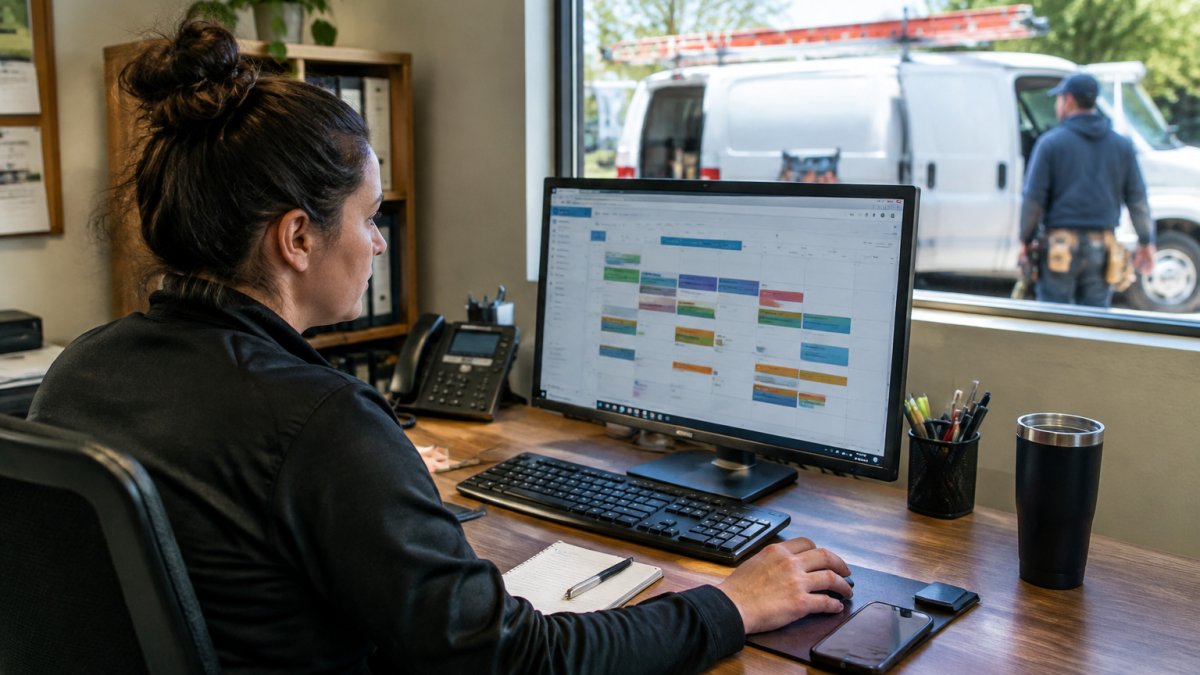
A tool that runs three schedules in one would show the office view, the crew view and the customer-facing appointment window together. When a job runs long, the dispatcher could see the knock-on effect on the rest of the day in the same view.
Look for tools that send arrival windows to customers automatically and log every change. See how a scheduling system holds up for an HVAC shop without a whiteboard.
Contractor Estimating and Invoicing Software: Closing the Job Before You Leave
The fastest way to get paid is to send the invoice before the technician drives away. That requires estimating and invoicing in the same app the technician uses on the job.
But "estimate to invoice" is not one feature. It is a chain of steps, and each step is where trade shops either gain or lose margin.
The estimate-to-cash chain
A working estimating and invoicing tool should carry the same job record through five stages without retyping:
- Options and good/better/best. The estimate presents two or three tiers so the customer chooses scope rather than yes/no. Trade shops that offer options commonly see higher average tickets because the conversation moves from price to scope.
Watch out: if the estimate and the invoice live in different systems, the approved scope and the billed scope drift apart, and the customer disputes the difference.
Price books and labor rates
If every estimate starts from a blank page, quotes take longer and drift from your standard rates. Good software keeps your price book, labor rates and material markups in one place and lets you update a rate once so every future estimate uses it. Ask vendors: Can I import an existing price book? Can I set different markups by category?
Payment processing and fees
Invoicing software is only as good as the money it collects. Most integrated processors charge a per-transaction percentage on cards, with ACH typically lower and card-not-present higher than card-present. Compare the effective rate, not just the headline rate, and confirm whether the processor is built in or requires a separate merchant account.
How estimating needs differ by trade
A single estimating workflow does not fit every trade, and this is where most generic software lists fall short:
- Plumbing estimates lean on flat-rate repair pricing, fixture and water heater replacements, and drain and sewer work that may require camera inspection before a firm quote.
- HVAC estimates depend on load calculations, equipment sizing, rebate and warranty handling, and seasonal maintenance agreements that generate recurring revenue.
- Electrical estimates must account for permits, panel capacity, code upgrades and inspection scheduling, and often involve multi-day jobs with progress billing.
A tool that handles all three well will let you build trade-specific templates and assemblies rather than forcing every job into one generic line-item form.
Invoicing details that matter on the job site
Check whether the tool supports partial payments, retainage on larger projects, and emailing or texting a PDF invoice with a pay-now link. Confirm the invoice pulls the customer's service address, job number and technician name automatically, because those details are what the customer's bookkeeper needs to pay without a follow-up call.
The article lays out the key steps and checks for turning an approved estimate into paid work.
| Stage | What to check | Why it matters |
|---|---|---|
| Options and good/better/best | Two or three tiers per estimate | Moves the talk from price to scope |
| Price book and labor rates | One rate update applies everywhere | Keeps quotes consistent with standard rates |
| Card processing | Effective rate, not headline rate | Fees vary by transaction type |
| Invoice details | Address, job number, technician name | Lets the customer's bookkeeper pay without a call |
| Partial payments and retainage | Supported on larger projects | Needed for multi-stage work |
Business Management Tools for Contractors: Job Costing, Data Migration and Total Cost
Most software roundups stop at the feature list. The sections below cover the three things that actually decide whether a tool pays for itself: whether you can measure profit per job, whether your data moves cleanly, and what the tool really costs over a year.
End-to-end job profitability: connecting the estimate to the actual
Job costing answers the question most shop owners cannot answer quickly: did that job make money? The mechanism is straightforward, but only if the data lives in one place. A job record should capture:
- Estimated labor hours and rates from the original quote.
- Actual labor hours from technician time tracking, including travel time and callback visits.
- Materials from purchase orders, receipts or truck stock, priced at cost rather than at the marked-up sell price.
When those five inputs reconcile, you can calculate gross profit per job and per technician and see which job types and customers are actually profitable.
Watch out: if materials are recorded at sell price instead of cost, your job costing will show healthy margins that never appear in the bank account. Cost at cost, bill at sell.
Integrations and data flow: avoiding duplicate entry
The categories in this guide should not be islands. A well-integrated stack moves data in one direction without retyping:
- Scheduling and dispatch feeds the job record and technician assignment.
- Estimating pulls from the price book and pushes the approved scope to the job.
- Invoicing and payments pull the approved scope and push payment status back to the job.
Before you buy, ask each vendor which integrations are native, which require a paid connector, and which require manual export and import. Native integrations are usually the difference between a stack that holds up at thirty trucks and one that collapses into spreadsheets.
Data migration: what to get in writing
If you run an existing field service platform, ask how customer records, job history, open estimates, open invoices and attached photos move over. Some vendors migrate everything; others only bring in customer lists, leaving your job history and open receivables behind. Get the answer in writing before you sign, and confirm who owns the exported data if you later leave.
Security, privacy and data ownership
Trade software holds customer addresses, payment details and sometimes gate codes and alarm codes. Practical criteria for evaluating a vendor:
- Where is the data hosted, and is it encrypted in transit and at rest?
- Who on your staff can see payment information, and can you set role-based permissions?
- Can you export your full data set on demand, and in what format?
These questions matter more as the business grows, because a data problem at thirty trucks is a customer-trust problem, not just an IT problem.
Total cost of ownership: the numbers beyond the subscription
Total cost of ownership goes beyond the monthly fee. Build a twelve-month estimate that includes:
- Per-user or per-technician subscription fees, and how they step up as you add crews.
- Payment processing fees on card and ACH transactions.
- Add-ons such as texting, customer financing, inventory or marketing modules that are priced separately.
A cheaper tool that takes a month to learn can cost more than a pricier one your techs use on day one.
A realistic implementation plan
Moving off spreadsheets or paper records rarely fails because of the software. It fails because of adoption. A workable sequence:
- Clean your data first. Deduplicate customer records and close out stale jobs before migration, or you will migrate the mess.
- Pick one crew and one job type for the first two weeks, and run the new tool alongside the old process only for that crew.
- Train on real jobs, not in a classroom. Have the dispatcher and one lead technician walk through a full estimate-to-invoice cycle on live work.
- Set a cutover date and retire the old process for the pilot crew, then expand crew by crew.
- Review job costing after thirty days to confirm the data is complete before you rely on it for pricing decisions.
Choosing Your Next Tool: Starting a Trial on Your Own Jobs
The best way to choose is to run a trial on real work, not a demo.
Include the people who will use it daily. A dispatcher, a lead technician and a shop owner should each give feedback.
MEPflow offers a free plan. Start by running one truck for a week, then expand to the full crew once the workflow holds up.
Frequently Asked Questions
What tools does a trade business owner need to run a business?
Most plumbing, HVAC and electrical shops need four working tools: scheduling and dispatch, estimating, invoicing and payment collection, and job costing so they know which jobs actually made money. Many shops also need customer texting and a way to store customer records. The main decision is whether these run as separate apps or in one platform. Fewer apps means less re-entering the same customer and job details, which is where most office hours get lost. Check whether each tool works on a phone in the truck, since field technicians will not use a tool that only works at a desk.
What is the best software for a small trade business?
The best fit depends on how many trucks you run, how your technicians work, and whether you need one app or several. For a shop with two to thirty trucks, prioritize mobile-first design, built-in scheduling and dispatch, estimates that can be sent and approved on site, and invoicing that goes out before the crew leaves. Compare the features you will use weekly rather than the longest feature list. Ask each vendor for current pricing on their website or in a quote, since prices depend on your number of users and the modules you choose. Run a trial on real jobs before committing.
How can a trade business owner track job costs and profitability?
Track labor hours, materials and subcontractor costs against each job rather than only at the end of the month. Software that reconciles job costs compares the estimate with what was actually spent on materials and labor, which shows where margins slipped. Record materials on the job when they are purchased or installed, and have technicians log time from the truck. Review completed jobs by type, such as service calls, replacements and new installs, to see which work pays best. Shops that do this consistently find pricing errors faster and quote more accurately on the next job.
What software do plumbers and electricians use?
Plumbers and electricians commonly use field service management platforms that combine scheduling, dispatching, estimating, invoicing and customer communication. Some shops pair a general accounting package with a separate scheduling tool, which works but requires manual entry between systems. When comparing options, check whether the platform was designed for trades work, whether technicians can complete the full job from a phone, and how the vendor handles data migration from your current tools. MEPflow, for example, is a mobile-first platform built by a master plumber, a master electrician and an HVAC technician, and offers a free plan; see its pricing page for current options.

Where to next
- See what MEPflow doesScheduling, estimates, dispatch, invoicing and job costing in one app.
- Create your company accountSet your shop up in a few minutes. No card to start.
- Plumbing Field Service Software: How the Options CompareMore from the MEPflow blog
- Best Service Dispatch Software for Plumbing, HVAC and Electrical ShopsMore from the MEPflow blog