Get More Leads With Professional Estimates
Learn how professional estimates convert more leads into booked jobs. Step-by-step guide to estimate quality, follow-up timing, and closing rates.

Table of Contents
- Why Professional Estimates Convert More Leads Into Booked Jobs
- How to Write a Professional Estimate That Closes
- Contractor Estimate Template for Field Techs
- Estimate Follow-Up Email and Text Scripts That Work
- Mobile Estimating Software for Contractors
- Lead Qualification: Identify Prospects Worth Your Time
- Invoice Before You Leave the Job Site
- Conclusion
- Frequently Asked Questions
Last Updated: October 19, 2026
Why Professional Estimates Convert More Leads Into Booked Jobs
A professional estimate isn't paperwork, it's your first real sales conversation, and the best way to get more leads with professional estimates that convert prospects into booked jobs.
Most contractors hand over a handwritten quote or basic email, leaving money on the table. A professional estimate educates the customer about scope, protects your margins, and closes the sale on site.
The difference is presentation: a clear breakdown of labor, materials, and overhead removes objections and builds the trust that gets signatures.
How to Write a Professional Estimate That Closes
A professional estimate is a sales document, not a price tag. Contractors who win the most work treat every estimate as a structured proposal: it restates the problem, defines the scope, itemizes costs, names assumptions and exclusions, offers options, and makes it easy to say yes. That structure separates an estimate that gets signed from one that gets shopped around.
Start with the customer's problem in one or two sentences, then move into the solution, the investment, and the next step instead of jumping straight to the total.
Restate the scope in specific, verifiable terms
Vague scope is the most common reason estimates stall. "Replace kitchen faucet" invites questions.
Write the scope so a customer could hand it to another contractor and get the same result. Name brands and models where they matter, specify quantities, and describe the condition you found on site.
A specific scope also protects your margin. When the customer later asks for a cheaper option, you can point to exactly what was quoted and price the downgrade as a separate revision.
Itemize labor, materials, overhead, and contingency
Show the customer where the money goes. Break labor down by task (demo, rough-in, finish, cleanup, travel), list materials by line item with quantities, and show overhead as its own line rather than hiding it in an inflated labor rate.
Add a contingency line for jobs with unknowns, such as older homes or work behind finished walls. Set it as a percentage of the labor and materials subtotal, disclose it openly, and state that any unused amount is refunded or credited. That transparency turns a feared line item into a trust signal.
Use options and good-better-best pricing
Single-price estimates force a yes-or-no decision; options let the customer say yes at a level that fits their budget. Present two or three tiers, a baseline that meets the need, a recommended option with better materials or a longer warranty, and a premium option with upgrades, each labeled with the trade-off in one sentence.
Options also protect margin: customers often choose the recommended tier because the middle option is framed as the sensible choice.
State assumptions, exclusions, and validity
Every estimate rests on assumptions. Write them down: access to the work area, parking, permit responsibility, disposal of old materials, and whether the price assumes standard hours.
Assumptions and exclusions aren't fine print, they prevent scope creep and protect your margin when the job differs from what the customer described.
State how long the estimate is valid. Thirty days is common, but material volatility may justify a shorter window. A validity date creates a natural reason to respond and protects you from stale pricing.
Present pricing with confidence and a clear next step
Put the total at the top of the pricing section, then show the breakdown below. Offer payment terms in plain language: deposit, progress payments if applicable, and final payment on completion.
End with a signature line and a clear next step. A signed estimate is a commitment device; customers who sign are more likely to follow through. If they prefer to think it over, give them a specific response date and tell them what happens next.
Add a short "What happens next" block at the bottom of every estimate: sign and return, we schedule within X business days, and we confirm the start date in writing. This removes the ambiguity that causes customers to stall.
Contractor Estimate Template for Field Techs
Next comes the scope section: list what you found, what you're fixing, and what materials you'll use, in specific detail.
Add This Tool, Get 3X More Leads
Marcus Sheridan
Then add your pricing breakdown:
- Materials (itemized)
- Labor (by task)
- Overhead or service fee
- Subtotal
- Tax (if applicable)
- Total
Include a terms and conditions section: payment terms, warranty information, and how long the estimate is valid (most contractors use 30 days).
At the bottom, add a signature line and a space for initials, a commitment device that increases follow-through once they've signed.
Make your template mobile-optimized: it should render cleanly on a tablet, be readable without zooming, and allow electronic signature.
Estimate Follow-Up Email and Text Scripts That Work
The estimate doesn't close the sale by itself, follow-up does. Most contractors send one estimate and wait, which is why so many qualified leads go cold. A structured follow-up cadence, paired with measurement, turns estimates into booked jobs.
Set a cadence and stick to it
A practical cadence: first follow-up within 24 hours, second at day 3, third at day 7, and a final check-in around day 14 before marking the estimate dormant. Consistency matters more than exact intervals, a polite, specific reminder at the right moment often moves customers to decide.
Speed matters more than most contractors realize. Responding quickly to a new inquiry and following up within a day signals that you're organized and interested, and the first contractor to follow up often wins jobs, even when they aren't the lowest price.
Make every follow-up specific
Generic follow-ups get ignored. Reference something from the site visit: the age of the water heater, the crack in the driveway, the timeline the customer mentioned. Specificity shows you were paying attention and gives the customer an easy reason to reply.
Keep messages short. A text should be one or two sentences; an email three or four. Long messages feel pushy; short ones feel professional and respectful of the customer's time.
Sample scripts for email and text
Text follow-up (24 hours after estimate):
"Hi [Name], just confirming you received the estimate I sent over. Happy to answer any questions.
Email follow-up (day 3):
"Hi [Name],
I wanted to check in on the estimate we discussed at your home on [date].
Best, [Your Name] [Your Shop Name] [Phone Number]"
Final follow-up (day 7):
"Hi [Name],
I'm following up one last time on the estimate from [date].
If now isn't the right time, no problem. Feel free to reach out whenever you're ready.
Best, [Your Name]"
Dormant check-in (day 14):
"Hi [Name], I'm closing out my file on the [project] estimate from [date].
Handle the three common objections
Most non-responses fall into three categories: price, timing, and trust. For price, ask what budget they had in mind and offer a revised option rather than discounting the original. For timing, ask when they plan to start and offer to hold a slot. For trust, offer references, license and insurance details, or a short call.
Measure follow-up performance
Follow-up is only useful if you know whether it works. Track four numbers for every estimate: time to first follow-up, number of touches before a decision, estimate-to-job conversion rate, and average job value. Review them monthly.
Benchmarks vary widely by trade, market, and job size, so treat published figures as context, not targets, what matters is your own trend. If conversion drops while response time rises, the fix is usually process, not price. If conversion is high but average job value is low, revisit your options and pricing.
Mobile Estimating Software for Contractors
Mobile estimating software saves time.
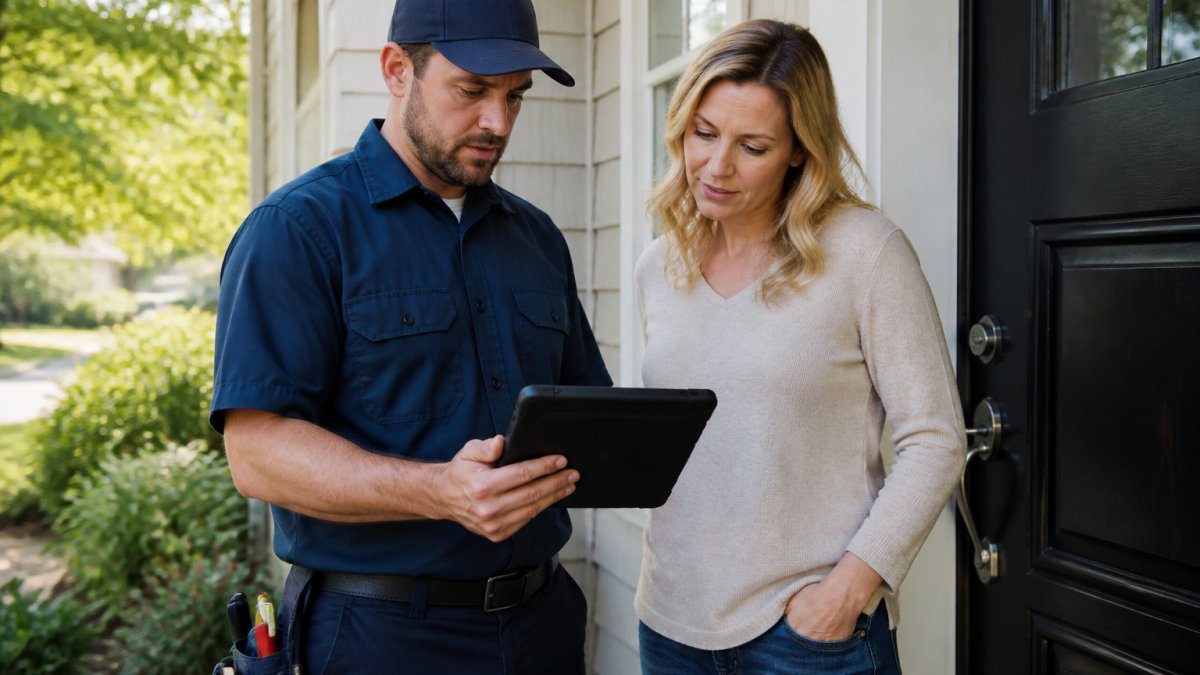
The best field service software also handles scheduling, invoicing, and job tracking. You run the whole operation from your truck.
Look for software that lets you create custom templates reflecting your brand, logo, contact information, and terms. A generic template makes you look like everyone else.
Mobile estimating software should also track which estimates you've sent and which converted, so you can see which jobs are worth your time.
Lead Qualification: Identify Prospects Worth Your Time
Not every lead is worth your time. Some customers will never book. Some will book but demand unrealistic pricing. Learn to spot these early.
Qualify leads during the initial call: ask about their budget, when they need the work done, and whether they've gotten other quotes.
A customer comparing five quotes is price shopping and unlikely to book with you; one ready to move forward this week is a hot lead.
Watch for green flags too: a customer who asks detailed questions, trusts your expertise, and seems ready to move forward converts at much higher rates.
Invoice Before You Leave the Job Site
The moment the job is done, invoice the customer right there on your truck, don't wait or go back to the office.
Mobile invoicing software makes this easy: pull up the job, confirm the work completed, and generate an invoice on your tablet for the customer to review and pay.
Your invoice should match your estimate: if you quoted $1,500 and the job is complete, the invoice should be $1,500.
Conclusion
Professional estimates close more leads. They show expertise, build trust, and protect your margins. Combined with quick follow-up and mobile invoicing, they create a seamless customer experience that converts prospects into booked jobs.
At MEPflow, we've built a platform that handles all three: creating professional estimates on your tablet, tracking follow-ups, and invoicing before you leave the job site. Get started with MEPflow and see how a connected estimate-to-invoice workflow transforms your lead conversion rate.
Small Business Administration guide to pricing strategies
National Association of Home Builders contractor best practices
Service Industry Research on customer communication timing
Frequently Asked Questions
How quickly should you send an estimate after a site visit?
Send estimates within 24 hours of the site visit, ideally the same day. The faster you respond, the higher your conversion rate. Prospects who receive estimates quickly are more likely to remember your assessment and compare it favorably against competitors. Delays signal disorganization and give customers time to get other bids.
What should a professional contractor estimate include?
A professional estimate must include scope of work, itemized materials and labor, project timeline, warranty details, and total cost. Break down labor and overhead separately so customers understand where their money goes. Include your company name, license number, and contact information. A clear, detailed estimate builds trust and reduces scope creep disputes after the job starts.
How do you follow up with a customer after sending an estimate?
Follow up within 3 days with a text or email that references the estimate and asks if they have questions. Use a friendly, low-pressure tone: 'Hi [Name], wanted to check in on the estimate we sent for your [project]. Happy to answer any questions or adjust anything.' A second follow-up after one week works if you don't hear back. Track which follow-up method gets the best response rate for your business.
How can contractors make estimates easier for customers to understand?
Use plain language instead of trade jargon. Group costs by phase or area (e.g., 'Electrical Panel Upgrade' rather than listing wire gauge and conduit separately). Include photos or diagrams of the work if possible. Show the total price prominently at the top or bottom. Customers who understand your estimate are more likely to accept it and less likely to negotiate aggressively.
Where to next
- See what MEPflow doesScheduling, estimates, dispatch, invoicing and job costing in one app.
- Create your company accountSet your shop up in a few minutes. No card to start.
- Plumbing Field Service Software: How the Options CompareMore from the MEPflow blog
- Best Service Dispatch Software for Plumbing, HVAC and Electrical ShopsMore from the MEPflow blog